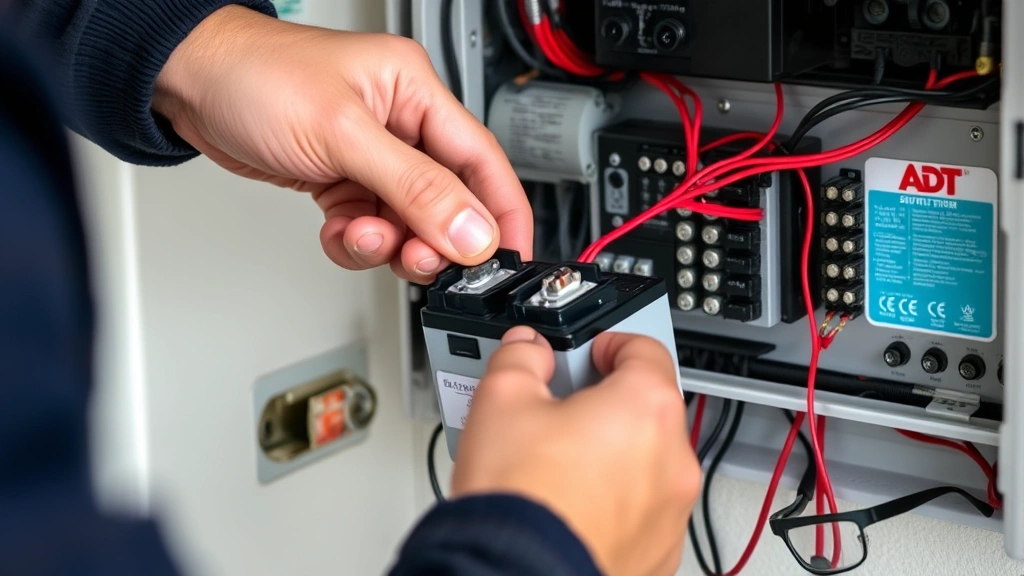
ADT Battery Failing? Expert Solutions Inside
Your ADT security system represents a critical layer of protection for your home or business, standing guard 24/7 against potential threats. However, when the battery begins to fail, that protective shield weakens significantly. A failing battery in your ADT system doesn’t just compromise immediate security—it can create vulnerabilities that sophisticated threat actors actively exploit. Understanding how to identify, troubleshoot, and resolve ADT security system battery issues is essential for maintaining comprehensive protection.
Battery failure in security systems is one of the most common yet overlooked maintenance issues. Many property owners ignore warning signs until their system completely fails, leaving them exposed during critical moments. The cybersecurity implications extend beyond physical security: a non-functional alarm system may trigger false alarms or fail to alert monitoring centers during genuine emergencies, creating gaps in your overall security posture. This guide provides expert solutions to keep your ADT system operational and your property secure.
Understanding ADT Battery Components
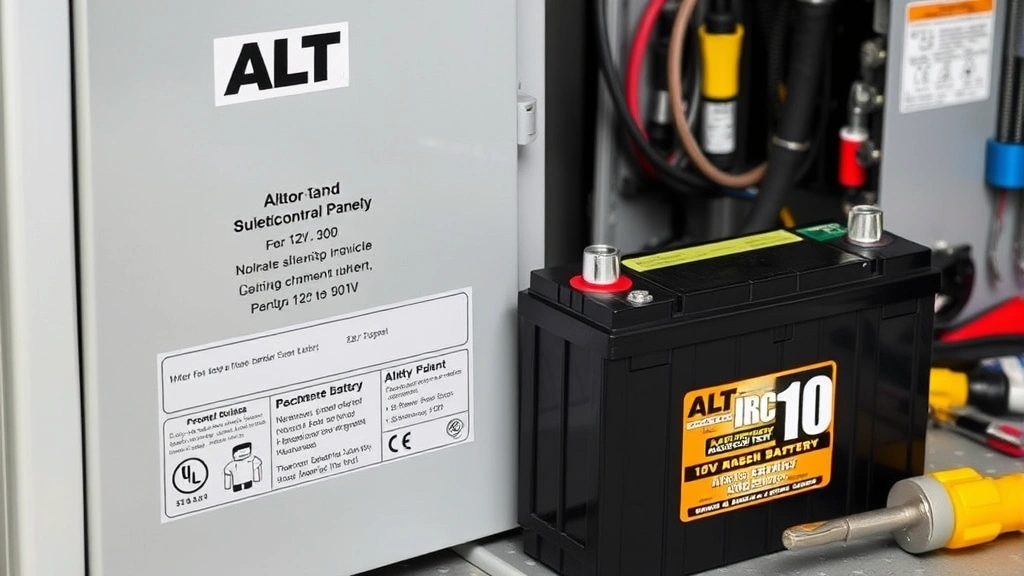
ADT security systems incorporate multiple battery components working in concert to maintain system integrity. The primary backup battery, typically a 12V rechargeable unit, powers the entire system during power outages. This battery ensures that your ADT security system battery continues protecting your property even when grid power fails—a critical distinction that separates active systems from vulnerable ones.
Beyond the main backup battery, many ADT systems include wireless sensor batteries distributed throughout your property. Door and window sensors, motion detectors, and keypads each contain individual batteries that communicate with the main control panel. These distributed batteries are equally important; a single failed sensor battery creates a gap in your perimeter defense. Additionally, some ADT systems feature battery backup units in the keypad itself, providing local power for emergency operations.
The chemistry and specifications vary depending on your specific ADT model. Most modern systems use sealed lead-acid (SLA) batteries, though some newer installations employ lithium-ion technology. Understanding your particular system’s requirements prevents installation errors that could damage equipment or create safety hazards. Your system documentation specifies exact voltage requirements, capacity ratings measured in amp-hours (Ah), and terminal configurations.
Warning Signs of Battery Failure
Early detection of battery problems allows you to address issues proactively rather than reactively. The most obvious warning sign is a low-battery indicator on your control panel—a beeping sound or visual alert that demands immediate attention. This audible or visual warning typically sounds every 30-60 seconds, becoming increasingly persistent as battery capacity depletes.
Additional warning signs include:
- Delayed system responses: Your ADT system takes longer than normal to arm or disarm, indicating insufficient power delivery
- Intermittent wireless sensor failures: Sensors occasionally fail to communicate with the panel, suggesting distributed battery problems
- Control panel display dimming: Screen brightness decreases or flickers during normal operation
- Failed system tests: When you perform routine system checks, certain zones fail to respond
- Inability to program: The system rejects attempts to modify settings or add new zones
- Backup power failure: During a power outage, your system immediately loses power instead of maintaining operation
Corrosion around battery terminals indicates chemical degradation. White, blue, or green crusty deposits signal internal battery failure and immediate replacement needs. Some failing batteries also exhibit physical swelling or bloating, a dangerous sign requiring emergency professional attention.
Troubleshooting Steps
Before replacing your ADT security system battery, perform systematic troubleshooting to confirm battery failure rather than other system issues. Start by checking all cable connections at the control panel. Loose or corroded connections can mimic battery problems without requiring replacement.
Step 1: Verify Power Supply
Confirm that your control panel receives adequate AC power. Check that the wall outlet functions properly by plugging in another device. Verify the power cable connects securely to both the outlet and control panel. Some systems have an inline power switch; ensure it’s in the ON position. If the outlet lacks power, check your home’s circuit breaker or contact an electrician.
Step 2: Test Battery Connections
Turn off the system completely before touching battery terminals. Examine connections for corrosion, loose wiring, or damaged terminals. Gently clean corroded terminals with a small brush or cloth. Ensure the red wire connects to the positive terminal and the black wire connects to the negative terminal. Reversed polarity can cause serious damage.
Step 3: Check Battery Age
Most ADT backup batteries last 3-5 years depending on usage patterns and environmental conditions. If your battery is older than this range, age-related failure is likely. Check your system documentation or contact your ADT provider to determine installation date.
Step 4: Perform System Reset
Some battery warnings result from software glitches rather than actual battery failure. Perform a complete system reset by disconnecting AC power for 30 seconds, then reconnecting. This clears temporary errors while preserving your system configuration. If the low-battery warning persists after reset, battery replacement is necessary.
Step 5: Monitor System Behavior
After troubleshooting, observe your system for 24-48 hours. If warning indicators return or system performance degrades, battery failure is confirmed. Document specific symptoms and timing for your ADT technician, providing valuable diagnostic information.
Battery Replacement Guide
Replacing your ADT backup battery is often a straightforward process, though complexity varies by system model. Always consult your specific system manual before beginning replacement work.
Tools and Materials Needed:
- Replacement battery matching exact specifications
- Screwdrivers (typically Phillips head)
- Wire strippers (if reconnecting wires)
- Safety glasses and gloves
- Anti-static wrist strap (recommended for electronic systems)
Replacement Process:
- Disconnect AC power: Unplug the control panel from the wall outlet to eliminate electrical hazards during battery work
- Disarm the system: Enter your security code to fully disarm any active alarms
- Locate the battery: Find the backup battery compartment, typically located at the rear or side of your control panel
- Document connections: Before disconnecting anything, photograph the battery terminal connections for reference during reinstallation
- Disconnect old battery: Remove the negative wire first, then the positive wire, preventing accidental short circuits
- Remove the old battery: Carefully lift out the failed battery and set it aside for proper recycling
- Install new battery: Position the replacement battery in the compartment, ensuring it sits securely and level
- Reconnect wires: Attach the positive wire first, then the negative wire, ensuring tight connections
- Restore AC power: Plug the control panel back into the wall outlet
- Test the system: Arm and disarm the system multiple times, verify all sensors respond, and confirm the low-battery warning disappears
During replacement, handle batteries carefully to avoid dropping or crushing them. Never attempt to open, repair, or recondition failed batteries—they pose chemical and electrical hazards. Dispose of old batteries at designated recycling centers that handle lead-acid or lithium-ion batteries appropriately.
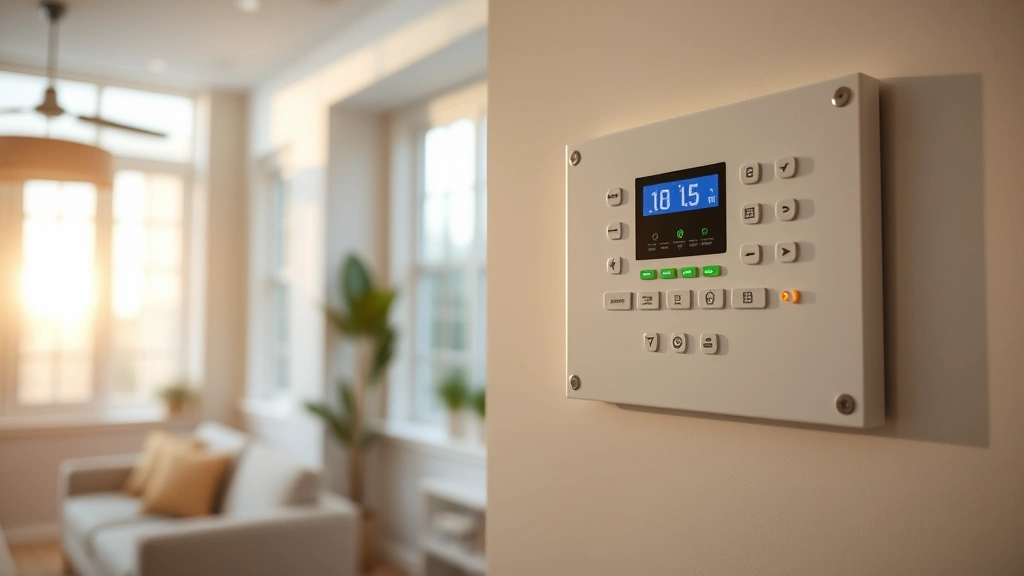
Prevention and Maintenance
Proactive maintenance extends your battery lifespan and prevents unexpected failures that leave your property vulnerable. Establish a regular maintenance schedule aligned with manufacturer recommendations, typically annual inspections.
Environmental Factors:
Battery performance degrades in extreme temperatures. Keep your control panel in climate-controlled environments between 50-90°F when possible. Excessive heat accelerates chemical reactions inside batteries, reducing lifespan. Cold temperatures temporarily reduce battery capacity, though performance typically recovers when temperatures normalize.
Power Surge Protection:
Install a quality surge protector or uninterruptible power supply (UPS) to protect your system from electrical surges. Voltage spikes from lightning strikes or power grid fluctuations can damage batteries and control panel components. A whole-home surge protector provides the most comprehensive defense for your entire security infrastructure.
Regular Testing:
Most ADT systems include battery test functions in their programming menus. Run these tests monthly to confirm backup power functionality. During tests, the system briefly operates on battery power while monitoring performance. If the system fails during testing, professional inspection is warranted.
Cleaning and Inspection:
Dust and debris accumulate inside control panels over time, restricting air circulation and increasing internal temperatures. Clean the panel exterior monthly with a dry cloth. Once yearly, have a professional inspect internal components for corrosion or damage. This preventive approach catches problems before they compromise system reliability.
Documentation:
Maintain records of all battery maintenance, replacement dates, and system tests. This documentation helps identify patterns in battery performance and guides replacement scheduling. Share this information with your ADT monitoring provider to ensure they have accurate system information.
When to Call Professionals
While many battery issues are manageable independently, certain situations demand professional intervention. Contact your ADT provider or a qualified technician if you encounter:
- Swollen or bloated batteries: Physical deformation indicates internal failure and potential safety hazards
- Smoke or burning smell: Never attempt to handle batteries displaying these warning signs—evacuate and call emergency services
- Repeated battery failures: If batteries fail frequently despite proper maintenance, underlying system problems exist requiring professional diagnosis
- System won’t power on: If your control panel fails to activate even with AC power and a new battery, internal damage may require panel replacement
- Wireless sensor failures after battery replacement: Persistent sensor problems despite new batteries suggest programming or hardware issues
- Backup power insufficient: If your system loses power immediately during outages despite a new battery, capacity issues need professional assessment
Your ADT monitoring provider offers battery replacement services as part of their standard maintenance packages. While professional service costs more than DIY replacement, technicians ensure proper installation, test system functionality, and provide warranty coverage. For complex systems or if you’re uncomfortable working with electrical components, professional service provides peace of mind and system reliability assurance.
Many ADT customers discover that their monitoring plan includes battery maintenance services. Review your service agreement to understand what’s covered before paying for independent replacement. Some plans include annual battery inspection and replacement at no additional cost, making professional service economically advantageous.
FAQ
How long does an ADT security system battery last?
Most ADT backup batteries function reliably for 3-5 years under normal conditions. Factors affecting lifespan include environmental temperature, frequency of backup power usage, and battery quality. Batteries in hot climates or systems experiencing frequent power outages may fail sooner. Document your battery installation date and plan replacement accordingly.
Can I use any 12V battery as a replacement?
No—always use batteries matching your system’s exact specifications regarding voltage, amp-hour capacity, terminal configuration, and chemistry type. Using incompatible batteries can damage your control panel, void warranties, and compromise system reliability. Your ADT documentation specifies the correct battery model; order replacements directly from ADT or authorized retailers.
What happens if my ADT battery dies completely?
If your backup battery dies during a power outage, your system immediately loses all power and stops functioning. Sensors won’t communicate, alarms won’t sound, and your monitoring center won’t receive alerts. This creates a dangerous security gap. This is why regular battery maintenance and testing are essential—they prevent unexpected failures during critical moments.
Does my ADT system need professional battery installation?
Many homeowners successfully replace batteries themselves following manufacturer instructions. However, if you’re uncomfortable working with electrical components, lack proper tools, or have a complex system, professional installation ensures correct setup and system functionality. Your ADT provider can assess whether DIY replacement is appropriate for your specific situation.
Why does my new ADT battery still trigger low-battery warnings?
After replacing the battery, your system requires time to recognize the new battery and reset its charging cycles. Typically, warnings disappear within 24-48 hours of replacement. If warnings persist, verify correct installation, ensure tight connections, and confirm the new battery matches specifications. If problems continue, contact ADT for professional diagnostics.
Can extreme weather affect my ADT battery performance?
Yes—both extreme heat and cold impact battery performance. High temperatures accelerate internal chemical reactions, reducing lifespan. Cold temperatures temporarily decrease capacity and may cause system failures until the battery warms up. Maintaining stable indoor temperatures around your control panel optimizes battery longevity and system reliability.
Should I replace all batteries in my ADT system at once?
Replace the main backup battery immediately when it fails. Wireless sensor batteries can be replaced individually as needed, though some users prefer replacing all sensor batteries simultaneously to ensure consistent performance. If multiple sensors frequently report low batteries, consider replacing them all to eliminate ongoing maintenance issues.


