Low Battery Alert? ADT Security Tips for Uninterrupted Protection
A low battery alert on your ADT security panel is more than just an inconvenient notification—it’s a critical warning that your home protection system may be compromised. When your ADT security panel displays a low battery warning, it signals that the backup power source maintaining your system during outages is depleting. This backup battery is essential infrastructure that keeps your security monitoring active when primary power fails, ensuring continuous protection for your family and property.
Understanding how to respond to an ADT security panel low battery alert is fundamental to maintaining robust home security. Many homeowners dismiss these warnings or postpone addressing them, not realizing that a failed battery could leave their systems offline during critical moments. This comprehensive guide walks you through everything you need to know about managing ADT battery alerts, troubleshooting common issues, and ensuring your security system remains operational 24/7.
The implications of ignoring battery warnings extend beyond mere system downtime. A non-functional backup battery means your monitoring center cannot receive alerts if a break-in occurs during a power outage. Additionally, some insurance policies require maintained security systems, and a failed battery could affect your coverage. Learning proper battery maintenance and response protocols protects your investment and your peace of mind.
Why Your ADT Battery Matters for Home Security
The backup battery in your ADT security panel serves as a critical failsafe mechanism. During normal operations, your panel draws power from your home’s electrical system. However, when power is interrupted—whether from storms, accidents, or deliberate sabotage—the backup battery automatically activates, keeping your security system operational and maintaining communication with ADT’s monitoring centers.
This functionality is particularly important because burglars often target homes during power outages, knowing that many security systems become non-functional without backup power. By maintaining a properly charged battery, you eliminate this vulnerability. Your system continues sending signals to monitoring stations, triggering alarms, and recording events even when your home loses electricity.
The battery also powers your system during brief power interruptions that you might not even notice. Brownouts, grid fluctuations, and utility maintenance can cause momentary power losses that would disable an unprotected system. Your backup battery bridges these gaps seamlessly, ensuring your protection never lapses. Additionally, the battery maintains system memory, preserving your security codes, schedules, and settings during power events.
When you ignore battery warnings, you’re essentially operating your security system in a compromised state. The moment your battery fully depletes, your system becomes vulnerable to power outages. This vulnerability window could last hours or days if you don’t address the alert promptly. Insurance companies and security professionals universally recommend treating low battery alerts with urgency.
Understanding ADT Low Battery Alerts
ADT systems are designed to alert you well before battery failure occurs. When your panel displays a low battery message or when your monitoring center notifies you of low battery status, your system is giving you advance warning—typically when 20-30% of battery capacity remains. This advance notice window usually provides several days to address the issue before complete battery failure.
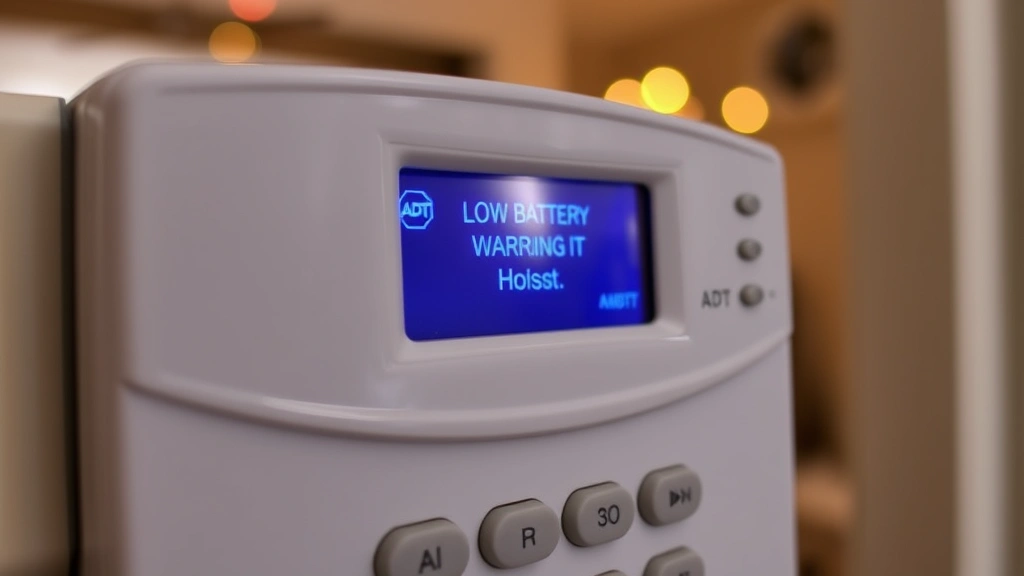
The alert mechanism works through continuous battery monitoring. Your ADT panel constantly checks battery voltage and condition, comparing it against manufacturer specifications. When voltage drops below safe thresholds, the system triggers audible alerts at the keypad and typically sends notifications to your mobile app and monitoring center. Some systems also display specific error codes that indicate battery status.
Different ADT panel models display battery alerts differently. Older systems may show “LOW BATTERY” on the LCD screen or emit periodic beeping sounds. Modern panels often send push notifications to your smartphone, allowing you to respond even when away from home. Regardless of model, you should never ignore these alerts. They represent your system’s way of maintaining security integrity.
Understanding the timing of alerts is crucial. Most ADT batteries last 3-5 years under normal conditions, though this varies based on usage patterns and environmental factors. Your system may display low battery warnings at regular intervals during the final months of battery life. Each alert represents an opportunity to schedule replacement before failure occurs. Delaying replacement increases the risk of your system becoming non-functional at an inopportune moment.
The monitoring center also tracks battery status remotely. If your battery fails, ADT’s systems detect this and may dispatch technicians or attempt to contact you about service. However, you shouldn’t rely on this passive monitoring—proactive response to alerts ensures your protection never wavers.
Step-by-Step Battery Replacement Guide
Replacing your ADT security panel battery is a straightforward process that many homeowners can accomplish independently, though professional installation is always an option. Before beginning, identify your specific ADT panel model, as different systems use different battery types and replacement procedures.
Step 1: Identify Your Battery Type
Check your system documentation or examine the existing battery to determine the correct replacement. Common ADT backup batteries include 12V sealed lead-acid batteries and lithium batteries. Your panel’s manual or ADT’s support documentation will specify the exact model required. Using an incorrect battery type can damage your system or provide inadequate backup power.
Step 2: Purchase the Correct Replacement
Order your battery from ADT directly, authorized retailers, or certified security equipment suppliers. Genuine ADT batteries ensure compatibility and proper performance. While third-party batteries may seem cheaper, they often provide inferior backup time and may void warranties. ADT batteries are engineered specifically for your panel’s power requirements.
Step 3: Prepare Your System
Before removing the old battery, disarm your security system using your security code. Inform your monitoring center that you’re performing maintenance to prevent false alarms. Some systems allow you to temporarily bypass alerts while servicing. Keep your system disarmed during the entire replacement process to prevent accidental triggers.
Step 4: Locate the Battery Compartment
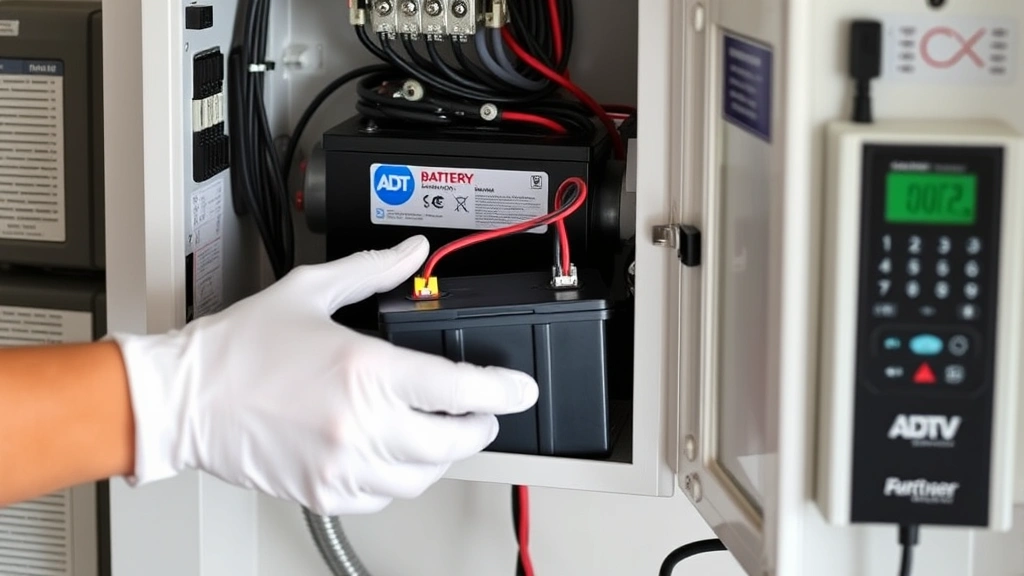
Most ADT panels house the backup battery in an easily accessible compartment. Consult your manual for the exact location—some systems keep batteries inside the main panel housing, while others use external battery boxes. Open the compartment carefully and note the battery’s orientation and connection points.
Step 5: Disconnect the Old Battery
Carefully disconnect the battery terminals, typically marked with red (positive) and black (negative) connectors. Take a photo of the connection points before disconnecting to ensure correct reinstallation. Set the old battery aside for proper recycling—lead-acid batteries contain hazardous materials and should never enter regular waste streams.
Step 6: Install the New Battery
Position the new battery in the compartment, ensuring it sits securely. Connect the positive terminal first, followed by the negative terminal. Verify both connections are tight and secure. Loose connections can cause charging failures and trigger continued low battery alerts.
Step 7: Test System Functionality
Rearm your security system and verify all sensors function properly. Check that the low battery alert has cleared from your keypad display. Contact your monitoring center to confirm they’ve received the all-clear signal. Some systems require 12-24 hours to fully charge the new battery and clear all alerts.
If you’re uncomfortable performing this procedure, contact ADT for professional installation. Technicians can replace batteries efficiently and verify system integrity simultaneously. This service typically costs less than purchasing an incorrect battery or causing damage through improper installation.
Troubleshooting Battery Problems
Sometimes low battery alerts persist even after battery replacement. Several issues can cause continued warnings, and understanding these problems helps you resolve them effectively.
Alert Won’t Clear After Replacement
If your system still displays a low battery message after installing a new battery, several factors could be responsible. First, verify that both battery connections are completely secure. Even slightly loose connections can prevent proper charging and trigger persistent alerts. Tighten any loose terminals and test again.
Second, confirm that your new battery is genuine and compatible with your specific panel model. Incompatible batteries won’t charge properly, even with secure connections. Third, power cycle your entire system by cutting the main power for 30 seconds, then restoring it. This resets the battery monitoring circuits and forces the system to recognize the new battery.
If alerts persist after these steps, contact ADT support. Your panel’s charging circuit may be malfunctioning, preventing the new battery from charging. Technicians can diagnose charging problems and replace defective components if necessary.
Battery Drains Quickly
If your new battery triggers low battery warnings within days of installation, something is consuming power abnormally. Check that your system isn’t in test mode or experiencing false alarms that repeatedly trigger sirens and transmitters. Each alarm cycle drains significant battery power.
Examine whether your home has experienced recent power outages. Extended power loss forces your battery to sustain the entire system for hours, draining it rapidly. If this occurs, you may need a larger capacity battery to handle extended outages in your area.
Environmental factors also affect battery performance. Extreme heat accelerates battery degradation, while cold temperatures reduce effective capacity. If your panel is located in an attic, garage, or outdoor enclosure, temperature control improvements might extend battery life significantly.
System Beeping or Chirping Constantly
Persistent beeping usually indicates a low battery condition that requires immediate attention. However, it can also signal other issues. Verify battery connections first, then check that all sensors and door/window contacts have fresh batteries. Low sensor batteries can trigger system-wide alerts.
If beeping continues with a new, properly connected panel battery, your keypad’s backup battery may also need replacement. Many keypads contain independent batteries that deplete separately from the main system battery. Replace these as well to fully resolve alerts.
Preventive Maintenance for Optimal Performance
Extending your battery’s operational life requires consistent preventive maintenance and attention to environmental factors.
Regular Testing
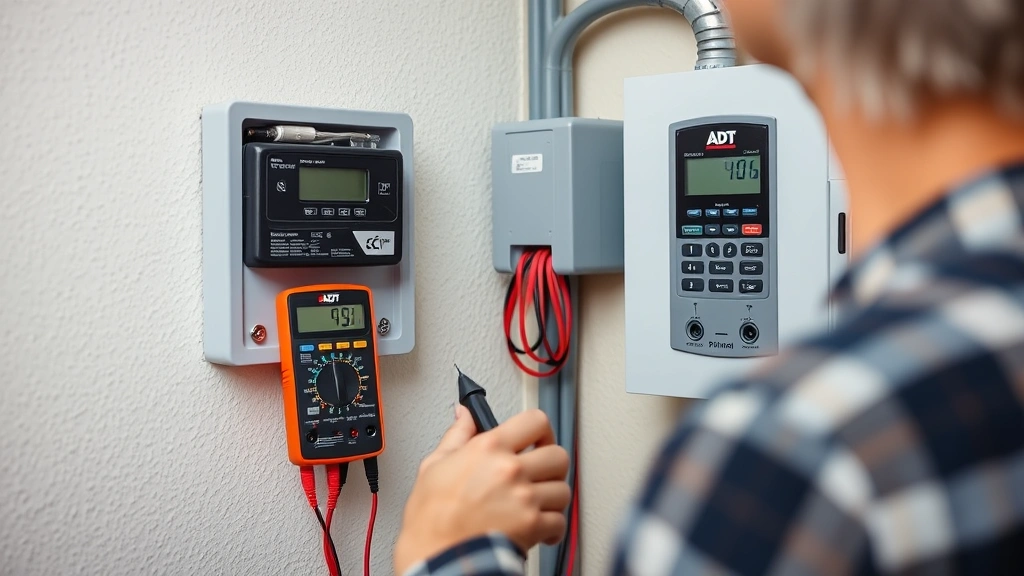
Many ADT systems include battery test functions accessible through your keypad menu. Run these tests quarterly to verify battery health and charging functionality. Regular testing catches degradation early, before critical failure occurs. Document test results to identify declining performance trends.
Environmental Control
Maintain moderate temperatures around your security panel. Ideal operating conditions are 50-80°F (10-27°C). If your panel is in an unconditioned space, consider installing a small climate control device or relocating the panel to a climate-controlled area. Temperature extremes significantly reduce battery lifespan.
Power Surge Protection
Install quality surge protectors on your security panel’s power supply. Power surges can damage charging circuits and reduce battery lifespan. Surge protection is inexpensive insurance against costly repairs. Many electricians recommend whole-home surge protection for homes in lightning-prone areas.
Professional Inspections
Schedule annual professional inspections with ADT or certified technicians. These inspections verify battery health, charging circuit functionality, and overall system integrity. Professionals use specialized equipment to measure battery voltage and capacity, detecting problems invisible to standard testing.
Documentation
Keep detailed records of battery installation dates, replacement dates, and test results. This documentation helps you anticipate replacement needs and provides valuable information if system problems develop. Set calendar reminders for battery replacement approximately 4-5 years after installation.
Firmware Updates
When ADT releases firmware updates for your panel, install them promptly. Updates often include improvements to battery monitoring algorithms and charging efficiency. Newer firmware may resolve battery-related issues affecting older software versions.
FAQ
How long do ADT security panel batteries last?
Most ADT backup batteries maintain optimal performance for 3-5 years under normal conditions. Battery lifespan depends on environmental factors, frequency of power outages, and usage patterns. Systems in areas with frequent outages may deplete batteries faster. Regular testing helps identify when replacement becomes necessary.
Can I replace my ADT battery myself, or do I need a technician?
Most homeowners can replace ADT batteries independently by following manufacturer instructions carefully. The process is straightforward and requires only basic tools. However, if you’re uncomfortable working with electrical components or your system requires specialized tools, ADT technicians can perform replacement professionally. Professional installation ensures proper configuration and system verification.
What happens if my ADT battery dies completely?
If your battery fully depletes, your system loses backup power and becomes vulnerable to outages. During power failures, your system cannot send alerts to the monitoring center or trigger alarms. However, your system will resume normal function once power is restored. Promptly replace a dead battery to restore protection.
Why does my new battery show low battery warning immediately after installation?
New batteries typically require 12-24 hours to fully charge after installation. During this charging period, the battery may still trigger low voltage alerts. If alerts persist after 24 hours with a properly connected genuine battery, contact ADT support to diagnose charging circuit problems.
Can I use any 12V battery in my ADT panel?
No. ADT panels require specific battery types with particular voltage ratings, capacity, and terminal configurations. Using incompatible batteries can damage your system or fail to provide adequate backup power. Always use genuine ADT batteries or certified replacements recommended by ADT.
How do I know if my battery is failing before it completely dies?
ADT systems provide multiple warning signs before complete failure. Low battery alerts on your keypad or mobile app indicate declining capacity. Persistent beeping, especially during normal operation, suggests battery degradation. Scheduling regular professional inspections catches failing batteries before they affect your security.
Does my ADT battery need maintenance?
Unlike older lead-acid batteries, modern ADT batteries are maintenance-free. However, they benefit from proper environmental conditions and regular testing. Ensure your panel remains in moderate temperatures, protected from extreme heat or cold. Test battery functionality quarterly to verify charging and capacity.
External Resources:
CISA Home Security Tips | NIST Cybersecurity Framework | ADT Security Solutions | ISC² Security Certifications | Securing America Resources


