
ADT Security Panel Low Battery: Fix It Like a Pro
Your ADT security panel’s low battery warning isn’t just an annoying notification—it’s a critical alert that demands immediate attention. When your security system’s backup power runs low, your entire home protection framework becomes vulnerable to outages, false alarms, and potential security breaches. Understanding how to diagnose and resolve this issue quickly can mean the difference between a fully operational security system and one that fails when you need it most.
A depleted backup battery in your ADT security panel compromises your system’s ability to maintain protection during power outages, which is precisely when burglars and other threats often strike. This comprehensive guide walks you through identifying the problem, implementing professional-grade solutions, and preventing future battery failures. Whether you’re experiencing your first low battery warning or dealing with recurring issues, these expert techniques will restore your system to peak performance.
Understanding Your ADT Security Panel Battery System
Your ADT security panel relies on a backup battery system that serves as the critical lifeline for your home’s protection infrastructure. This battery, typically a rechargeable 12-volt component, maintains power to your system during electrical outages, ensuring continuous monitoring and alarm functionality. The backup battery also keeps your system operational long enough to contact monitoring centers and alert you to potential security threats.
ADT security panels use various battery types depending on the model and installation date. Most modern systems employ sealed lead-acid or lithium-ion batteries designed to last between three to five years under normal operating conditions. These batteries continuously charge when AC power is available and automatically discharge to power critical system functions during outages. Understanding this dual-function design helps explain why battery maintenance is essential for reliable security protection.
The battery’s role extends beyond simple backup power. It maintains the system’s memory, preserves programmed settings, keeps the internal clock accurate, and ensures wireless sensors remain connected to the main panel. When battery voltage drops below manufacturer specifications, the system triggers alerts to warn you of declining backup protection. Ignoring these warnings gradually reduces your system’s reliability and response capability.
Identifying Low Battery Warnings and Symptoms
ADT security panels communicate low battery conditions through multiple warning channels that you should recognize immediately. The most common indicator is a steady or intermittent beeping sound from your main panel, typically occurring every 30 to 60 seconds. This audible alert persists regardless of whether your system is armed or disarmed, serving as a constant reminder that action is required.
Your ADT mobile app and web portal display specific low battery notifications, often with red warning icons or dedicated status messages. The system’s keypad will show error codes or text alerts describing battery degradation. Some panels display a “Low Battery” message directly on the screen, while others use numeric codes that reference battery problems in the system manual. Check your panel’s display screen regularly for these critical warnings.
Additional symptoms of battery failure include system beeping that won’t stop even after acknowledging alerts, inability to arm the system fully, delayed response from wireless sensors, and loss of backup power during brief electrical interruptions. If your system fails to maintain connection with ADT monitoring centers during power fluctuations, battery weakness is often the culprit. Some users report that their system suddenly goes offline during storms or power surges, indicating insufficient backup power reserves.
The timing of these warnings matters significantly. If you notice low battery alerts appearing more frequently than expected or immediately after battery replacement, you may have a charging circuit problem rather than a simple battery depletion issue. Professional diagnostics can distinguish between normal battery aging and underlying system malfunctions.
Step-by-Step Battery Replacement Process
Before beginning battery replacement, disconnect your system from AC power to ensure safety. Locate the main power cord leading from your ADT panel to the wall outlet and unplug it completely. This eliminates electrical hazards while you work with the backup battery. Wait approximately 30 seconds to allow any residual charge to dissipate from the system’s capacitors.
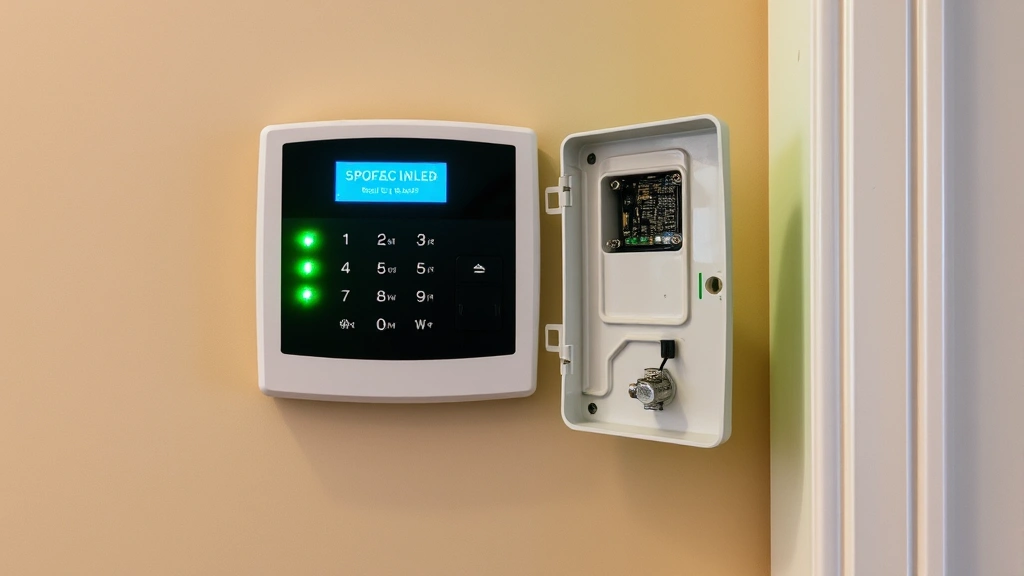
Open your ADT panel’s enclosure by removing the front cover or accessing the battery compartment. Most panels have either a removable face plate secured with a small latch or a side-mounted battery compartment. Consult your specific model’s manual for the exact access method. Take photos of your battery’s position and connector orientation before disconnecting anything—these images become invaluable reference points during reassembly.
Carefully disconnect the battery’s power connector by gently pulling on the connector itself rather than the wires. The connector typically features a simple push-fit design that releases with slight pressure. Once disconnected, note the battery’s physical position and orientation within the compartment. Batteries are often held in place with a plastic bracket or strap that requires removal before the old battery can be lifted out.
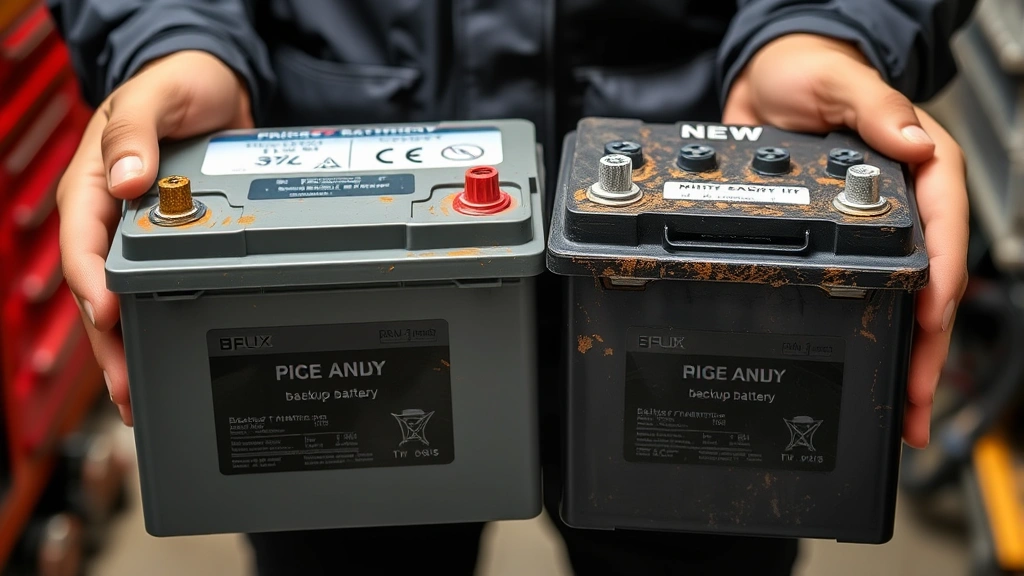
Install your replacement battery—which should match your original battery’s voltage and ampere-hour rating exactly—into the same position and orientation as the original. Ensure the replacement battery is compatible with your specific ADT panel model. Using an incorrect battery type can damage your system’s charging circuit or provide insufficient backup power. Connect the power connector firmly until you hear or feel a distinct click, indicating a secure connection.
Reconnect your system to AC power by plugging the main power cord back into the wall outlet. Your panel should power on normally, and the charging circuit will begin restoring the new battery to full capacity. This charging process typically requires 24 to 48 hours for complete battery conditioning. During this charging period, your system maintains normal operation but may display temporary low battery warnings as the battery reaches optimal voltage levels.
Test your system’s functionality by arming and disarming it through your keypad and mobile app. Verify that all wireless sensors respond correctly and that the system communicates properly with ADT monitoring centers. Many systems display a confirmation message once the battery reaches acceptable voltage levels, confirming successful replacement.
Troubleshooting Persistent Battery Issues
If low battery warnings persist after battery replacement, investigate your charging circuit’s functionality. A faulty charging system will drain even new batteries rapidly, making replacement ineffective. Test your system’s ability to maintain power during simulated outages by briefly unplugging the AC cord. Your system should operate normally on battery power for several minutes, indicating adequate backup capacity.
Check that your replacement battery matches your original battery’s specifications exactly. Many users inadvertently purchase similar-looking batteries with different voltage or capacity ratings, resulting in incompatibility with the charging circuit. Review your original battery’s label and cross-reference it with the replacement before installation. Contact ADT directly if you’re uncertain about correct battery specifications for your panel model.
Examine your panel’s internal connections for corrosion, loose wires, or damaged connectors. Battery compartments exposed to humidity can develop corroded terminals that prevent proper charging. If you notice green or white crusty deposits on connector terminals, carefully clean them with a dry cloth and ensure connections are tight. Persistent corrosion may require professional cleaning or connector replacement.
Your system’s age affects battery charging efficiency significantly. Panels older than seven to ten years may have degraded charging circuits that can’t fully condition new batteries. In these cases, replacing just the battery won’t resolve recurring low battery warnings. Professional technicians can test your charging circuit’s voltage output and determine whether the entire panel requires replacement for optimal security performance.
Some ADT systems experience software issues that cause false low battery alerts despite adequate battery voltage. These rare glitches require system firmware updates or professional recalibration. If you’ve replaced the battery, verified correct installation, and confirmed proper AC power connection but warnings persist, contact ADT support to schedule a diagnostic service call.
Prevention and Maintenance Best Practices
Establish a regular maintenance schedule that includes monthly visual inspections of your security panel. Check for loose wires, corrosion, or visible damage to the battery compartment. Ensure your panel remains in a climate-controlled environment between 50 and 90 degrees Fahrenheit, as extreme temperatures accelerate battery degradation. Panels installed in attics, basements, or outdoor enclosures experience shortened battery life due to temperature fluctuations.
Maintain consistent AC power to your security panel by avoiding extension cords and power strips that might be inadvertently switched off. Your panel’s charging circuit requires constant power availability to keep the backup battery in peak condition. Consider installing a dedicated outlet specifically for your security system, protected by a surge protector that shields against electrical spikes without cutting power during brief outages.
Document your battery replacement date and specifications in a secure location. Create calendar reminders to test your backup battery functionality annually by briefly simulating a power outage. During these tests, your system should maintain full operation on battery power for at least five to ten minutes. If your system shuts down quickly or displays warnings during backup power testing, schedule professional service immediately.
Keep your ADT account information current and ensure your monitoring service remains active and paid. Some NIST security guidelines recommend regular testing of backup systems to ensure they function reliably during actual emergencies. Your security system’s effectiveness depends entirely on consistent maintenance and prompt attention to warning alerts.
Review your system’s user manual annually to familiarize yourself with all battery-related alerts and troubleshooting procedures. ADT periodically updates system software that may change how low battery warnings appear or how the charging system functions. Staying informed about these updates helps you recognize problems quickly and take appropriate action before your system’s security capabilities are compromised.
When to Call Professional Technicians
Contact ADT’s professional support team immediately if low battery warnings return within a few weeks of battery replacement. This rapid recurrence indicates a charging circuit malfunction that requires professional diagnosis and repair. Attempting to resolve charging issues yourself can damage sensitive panel components and void your system’s warranty. Professional technicians have specialized equipment to measure charging circuit voltage and identify the specific component causing battery drain.
Schedule professional service if your system is older than eight years and experiencing recurring battery issues. Aging panels often have degraded charging circuits, corroded internal components, or failing power supplies that professional replacement can address comprehensively. Rather than repeatedly replacing batteries in an aging system, upgrading to a modern CISA-recommended security system provides better protection and eliminates battery problems entirely.
Professional technicians should handle battery replacement if you’re uncomfortable working with electrical components or if your panel is in a difficult-to-access location. ADT service calls typically cost between $100 and $300 for battery replacement and diagnostics, a reasonable investment for ensuring your system operates reliably. Many ADT customers discover that professional installation of replacement batteries includes system testing and optimization that DIY replacement cannot match.
If your system goes completely offline or fails to communicate with ADT monitoring centers after attempted battery replacement, contact professional support immediately. Improper battery installation can trigger system lockouts or disable monitoring features temporarily. Professionals can safely reset your system and verify that all security functions have been restored to normal operation.
FAQ
How often should I replace my ADT security panel battery?
Most ADT backup batteries last between three to five years under normal conditions. However, environmental factors, charging circuit quality, and usage patterns significantly affect actual battery lifespan. If you receive low battery warnings annually or more frequently, your battery may be nearing end-of-life. Replacing batteries every three years as preventive maintenance helps avoid unexpected system failures.
Can I use a different brand battery in my ADT panel?
Always use batteries that match your original battery’s voltage and ampere-hour specifications exactly. While some third-party batteries may physically fit your panel, they may not charge properly or provide adequate backup power. ADT-approved replacement batteries ensure compatibility with your charging circuit and system safety features. Using incorrect batteries can void your system warranty and compromise security protection.
Why does my system still beep after replacing the battery?
New batteries require 24 to 48 hours of charging to reach full capacity and voltage specifications. During this charging period, your system may continue displaying low battery warnings until the battery reaches optimal levels. If beeping persists after 48 hours of continuous charging, investigate whether your replacement battery matches original specifications or whether a charging circuit problem exists.
What happens to my security monitoring if the battery dies?
If your backup battery becomes completely depleted and AC power fails simultaneously, your system loses all power and cannot communicate with ADT monitoring centers. This creates a critical protection gap where break-ins, fire emergencies, or medical crises go undetected and unreported. Maintaining a healthy backup battery is absolutely essential for reliable 24/7 monitoring and emergency response. This is why prompt battery replacement when warnings appear is crucial for your family’s safety.
How do I know if my battery replacement was successful?
Successful battery replacement is confirmed when low battery warnings stop appearing after the 24 to 48-hour charging period, your system arms and disarms normally, all wireless sensors respond correctly, and your mobile app shows normal system status. Test your backup power by briefly unplugging the AC cord—your system should maintain full operation on battery power for several minutes. Contact ADT support if any of these confirmation steps fail.


