ADT Motion Sensors: Expert Installation Guide
ADT security motion sensors form the backbone of modern home and business protection systems, detecting unauthorized movement and triggering immediate alerts when suspicious activity occurs. Proper installation of these devices is critical to ensuring comprehensive coverage and preventing security blind spots that could compromise your entire system. This expert guide walks you through everything you need to know about selecting, installing, and maintaining ADT motion sensors for optimal threat detection and response.
Motion detection technology has evolved significantly over the past decade, transitioning from basic infrared sensors to sophisticated dual-technology systems that minimize false alarms while maximizing detection accuracy. Understanding how ADT security motion sensors work, where to position them strategically, and how to integrate them with your broader security infrastructure ensures you’re maximizing your investment in physical security. Whether you’re protecting a residential property or commercial facility, this comprehensive installation guide provides the technical expertise and practical recommendations security professionals use daily.
Understanding ADT Motion Sensor Technology
ADT security motion sensors utilize passive infrared (PIR) technology, microwave detection, or dual-technology combinations to identify movement within protected spaces. Passive infrared sensors detect heat signatures emitted by human bodies, measuring temperature differential changes as individuals move through monitored areas. This technology works effectively in most residential and commercial environments, consuming minimal power while maintaining reliable detection capabilities across standard room sizes.
Microwave-based sensors emit electromagnetic waves and analyze reflections to detect motion, offering superior penetration through walls and obstacles compared to infrared alternatives. However, microwave sensors are more susceptible to false alarms from sources like HVAC systems, ceiling fans, or external traffic vibrations. Dual-technology sensors combine both infrared and microwave detection, requiring simultaneous activation of both sensors before triggering alarms—this significantly reduces false positives while maintaining detection reliability.
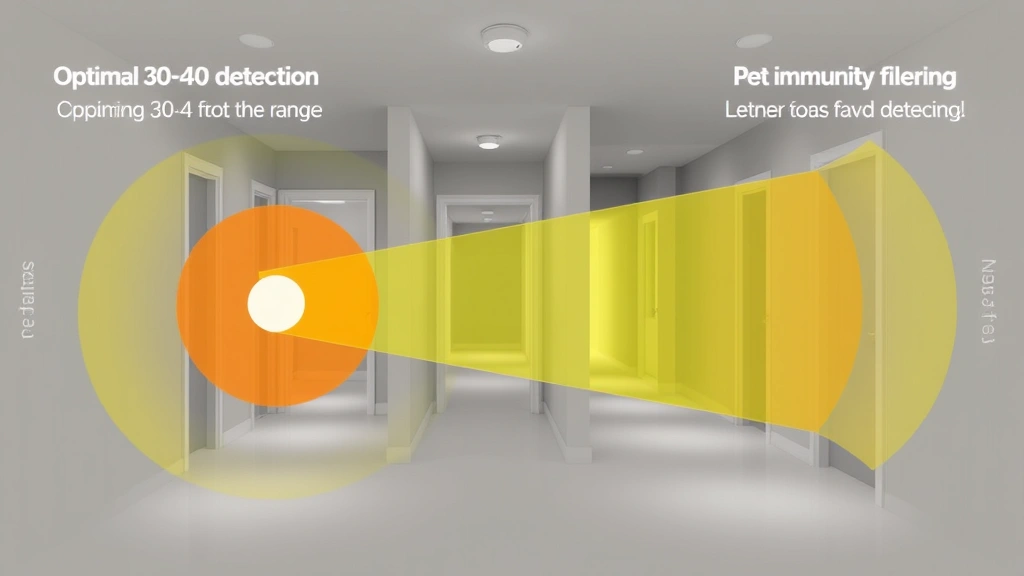
The sensitivity range of ADT motion sensors typically extends 30-40 feet in optimal conditions, though this varies based on sensor model, mounting height, and environmental factors. Understanding these specifications ensures proper placement and prevents coverage gaps that intruders could exploit. Modern ADT sensors include pet immunity features, allowing detection of human-sized movements while ignoring household pets weighing under 40-50 pounds, reducing nuisance alarms in homes with animals.

Types of ADT Motion Sensors Explained
ADT offers several motion sensor variants designed for specific applications and security requirements. Passive infrared motion detectors remain the most common choice for residential installations, providing reliable detection with minimal false alarm rates when properly positioned. These sensors work optimally when detecting movement perpendicular to their lens, making strategic placement crucial for comprehensive coverage.
Ceiling-mounted motion sensors detect movement from above, ideal for monitoring large open areas like warehouses, retail spaces, and commercial facilities. Wall-mounted sensors detect movement across horizontal planes, working best in hallways, entryways, and perimeter defense applications. Corner-mounted sensors provide 90-degree coverage, effectively monitoring two adjacent walls simultaneously—a cost-effective solution for room corners and intersecting hallways.
Pet-immune motion sensors incorporate advanced filtering technology to distinguish between human movement patterns and animal motion. These sensors evaluate movement speed, mass, and direction before triggering alerts, significantly reducing false alarms in homes with pets while maintaining human detection sensitivity. Glass break sensors often integrate with motion detection systems, providing dual protection against forced entry attempts through windows and glass doors.
Wireless motion sensors eliminate the need for hardwiring, simplifying installation in existing structures where running cables proves difficult or impossible. Battery-powered wireless sensors transmit signals to your ADT hub or control panel, requiring periodic battery replacement but offering flexibility in sensor placement. Hardwired sensors connect directly to your security system with permanent power supply, eliminating battery concerns and ensuring constant operational status.
Pre-Installation Planning and Assessment
Before installing ADT security motion sensors, conduct a comprehensive security assessment of your property to identify vulnerabilities and determine optimal sensor placement. Walk through your home or business, noting entry points, high-value areas requiring protection, and potential intruder pathways. This assessment reveals coverage gaps where motion detection could prevent unauthorized access or detect suspicious activity before escalation.
Create a detailed floor plan marking all doors, windows, hallways, and open spaces. Identify areas where motion sensors provide maximum detection value—entryways, hallways connecting to valuable assets, master bedrooms, and commercial spaces where after-hours activity indicates intrusion. Consider your daily routines and movement patterns, ensuring sensor placement doesn’t trigger false alarms during normal occupancy.
Evaluate environmental factors affecting sensor performance, including natural lighting conditions, heat sources, air circulation patterns, and potential obstructions. Windows with direct sunlight can interfere with infrared sensors, while heating vents and fireplaces generate heat signatures potentially causing false alarms. Identifying these challenges during planning allows you to select appropriate sensor types and placement locations that minimize interference.
Measure distances from proposed sensor locations to areas requiring coverage, ensuring sensors are positioned within their effective detection range. Most ADT motion sensors provide 30-40 foot coverage, but this assumes clear line-of-sight and optimal positioning. Account for walls, furniture, or other obstacles that could reduce effective detection range, and plan accordingly by adding supplementary sensors where necessary.
Determine your security system’s communication protocol—whether you’re using traditional hardwired systems, wireless networks, or hybrid configurations. This decision influences sensor selection, installation methodology, and integration complexity. Consulting with CISA security guidelines helps ensure your installation meets federal cybersecurity standards for residential and commercial properties.
Step-by-Step Installation Process
Step 1: Gather Required Materials and Tools
Before beginning installation, assemble all necessary components including motion sensors, mounting brackets, screws, wall anchors, batteries (if applicable), wire strippers, and a multimeter for testing. Ensure you have the installation manual for your specific ADT sensor model, as variations in design require different installation approaches. Verify that your security system’s control panel is compatible with the sensors you’re installing, checking compatibility documentation provided by ADT.
Step 2: Power Down Your Security System
Disable your security system completely before beginning installation, preventing accidental alarm triggers during the process. If your system includes hardwired sensors, turn off power at the main breaker to eliminate electrical hazards. For wireless systems, remove batteries from the control panel temporarily to prevent false alarm transmissions during sensor installation and testing.
Step 3: Install Mounting Brackets
Position mounting brackets at your predetermined sensor locations, typically 6-8 feet above floor level for optimal detection angles. Use a level to ensure brackets are perfectly vertical, as tilted sensors may have reduced detection range or develop blind spots. For ceiling-mounted sensors, position brackets centrally in the room for maximum 360-degree coverage. Secure brackets with appropriate fasteners for your wall type—drywall anchors for standard walls, concrete anchors for masonry surfaces, and through-bolts for structural mounting.
Step 4: Connect Hardwired Sensors
For hardwired motion sensors, run low-voltage wiring from your control panel to each sensor location following your property’s existing conduit or wire channels. Strip approximately ½ inch of insulation from wire ends, and connect positive and negative terminals according to your system’s wiring diagram. Use wire nuts or terminal blocks to secure connections, ensuring no exposed copper that could cause short circuits. Test continuity with a multimeter before securing wires in conduit, verifying proper electrical connection before proceeding.
Step 5: Attach Sensors to Brackets
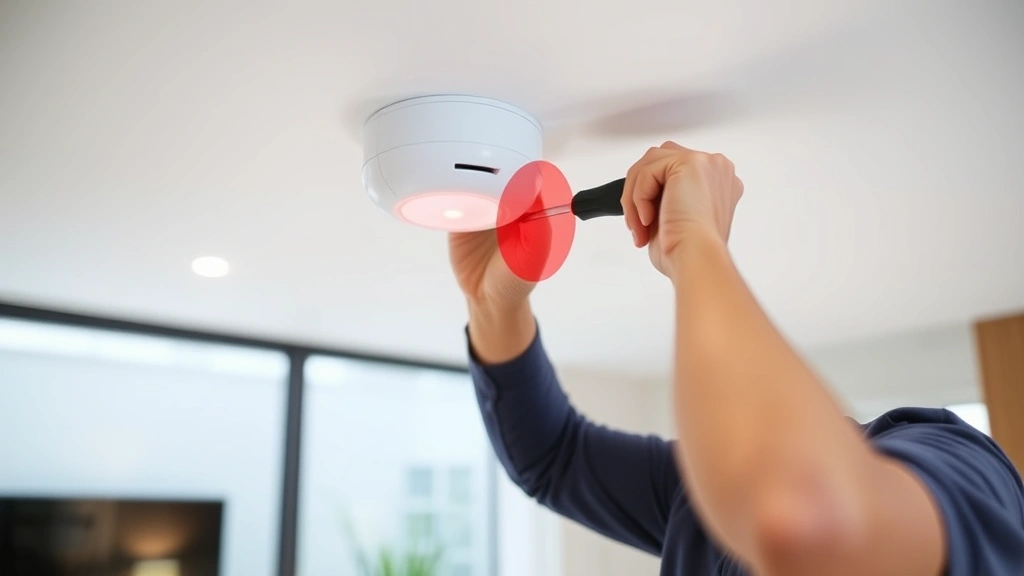
Carefully attach motion sensors to their mounting brackets, ensuring secure connection without excessive force that could damage internal components. Most ADT sensors use simple snap-on brackets or screw connections—follow your specific model’s instructions precisely. Verify the sensor lens is clean and unobstructed, as dust or debris significantly reduces detection effectiveness. Orient sensors according to manufacturer specifications, typically with the lens pointing toward areas requiring monitoring.
Step 6: Configure Wireless Settings
For wireless sensors, follow ADT’s pairing procedure to register each sensor with your control panel. This typically involves accessing your system’s installer menu, selecting “add sensor,” and activating the sensor to transmit its identification code. Document each sensor’s location and zone assignment for future reference and troubleshooting. Test wireless signal strength from each sensor location, ensuring adequate signal bars on your control panel display.
Optimal Sensor Placement Strategies
Strategic placement of ADT security motion sensors directly determines your system’s detection effectiveness. Position sensors to detect movement along likely intruder pathways—entry doors, windows, and routes connecting entry points to high-value areas. Avoid placing sensors directly facing windows with bright sunlight, as this creates IR washout that blinds the sensor to actual motion.
In residential settings, install motion sensors in hallways connecting bedrooms to main living areas, allowing detection of intruders moving through your home during nighttime hours. Bedroom placement provides early warning of unauthorized entry before intruders reach sleeping residents. Master bedroom sensors offer particular value, detecting threats in your most vulnerable state and allowing time for emergency response.
Kitchen and dining areas require careful sensor placement due to appliances generating heat signatures. Position sensors to detect entry points rather than monitoring appliance areas, preventing false alarms from refrigerator operation or cooking activities. Avoid mounting sensors directly above heat sources, as rising heat creates interference patterns that reduce detection accuracy.
Commercial applications benefit from perimeter motion sensors detecting after-hours activity in restricted areas. Install sensors in storage rooms, server rooms, and offices containing valuable equipment or confidential information. Warehouse and retail environments require ceiling-mounted sensors for overhead detection of movement throughout large open spaces, preventing intruders from moving undetected through merchandise areas.
Corner placement provides efficient dual-coverage of adjacent areas with single sensors, ideal for hallway intersections and room corners. Avoid placing sensors in corners where they face walls directly, as this eliminates detection capability. Instead, position corner sensors to detect movement across the corner area, maintaining 45-90 degree detection angles.
Basement and attic spaces present unique challenges due to temperature fluctuations and potential pest activity. Use pet-immune sensors in these areas to prevent false alarms from rodents or insects while maintaining human detection sensitivity. Ensure adequate ventilation around sensors, as stagnant air and temperature variations reduce detection reliability.
Integration with Your Security System
Proper integration of ADT motion sensors with your broader security infrastructure ensures coordinated threat response and comprehensive protection. Configure each sensor’s zone settings in your control panel, assigning specific names and response protocols. Designate entry zones for perimeter sensors and interior zones for internal motion detection, allowing your system to differentiate between external and internal threats.
Program appropriate alarm responses for each sensor zone—perimeter sensors typically trigger immediate alarms, while interior sensors may activate after entry delay periods allowing authorized occupants to disarm the system. This configuration prevents false alarms from residents moving through the home while maintaining rapid response to genuine intrusion attempts. NIST cybersecurity frameworks recommend layered detection approaches combining motion sensors with door/window contacts for comprehensive threat detection.
Enable system notifications that alert you immediately when any motion sensor triggers, allowing rapid response to potential threats. Modern ADT systems support smartphone notifications, email alerts, and professional monitoring integration, ensuring threats are communicated through multiple channels. Configure notification settings based on your security requirements—24/7 alerts for commercial properties, selective notifications for residential systems.
Integrate motion sensors with your lighting system, programming automatic light activation when sensors detect after-hours motion. This dual-response approach deters intruders by eliminating darkness advantages while simultaneously alerting you to unauthorized activity. Motion-activated lighting serves as both a security deterrent and practical convenience feature for nighttime movement through your home.
Connect motion sensors to your video surveillance system, triggering camera recording when motion is detected. This integration creates video evidence of intrusion attempts, providing law enforcement with investigative material and supporting insurance claims. Ensure your system’s hard drive storage capacity accommodates continuous recording from motion-triggered events.
Testing and Calibration Procedures
After completing physical installation, thoroughly test all motion sensors to verify proper operation and detection capability. Enter each sensor’s test mode through your control panel, then walk through the sensor’s detection area observing whether the control panel registers motion. Move slowly and deliberately, testing detection at various distances and angles to confirm sensitivity settings match your installation requirements.
Test motion detection in different lighting conditions—bright daylight, dim indoor lighting, and complete darkness—to ensure consistent performance across environmental variations. Note any areas where sensors fail to detect motion, indicating coverage gaps requiring repositioning or additional sensors. Pay particular attention to corners, edges, and areas near sensor mounting points, as these locations often have reduced sensitivity.
Verify that pet-immune sensors properly ignore household pets while detecting human motion. Have family members or assistants move through monitored areas while pets move freely, confirming sensors distinguish between human and animal movement patterns. Adjust sensitivity settings if sensors trigger false alarms from pet activity, or if they fail to detect human motion at expected distances.
Test battery-powered wireless sensors by triggering motion in each sensor’s range, verifying that detection signals reach your control panel with strong signal strength. Check battery indicators on your control panel, confirming all sensors display adequate battery levels. Replace batteries in any sensors showing low battery warnings before completing your installation.
Create a written test log documenting each sensor’s location, detection range, coverage area, and any issues encountered during testing. This documentation proves invaluable for troubleshooting future problems and supports insurance claims demonstrating proper system installation. Review test results with ADT technicians if you encounter persistent issues or unusual sensor behavior.
Maintenance and Troubleshooting
Regular maintenance ensures your ADT motion sensors continue operating reliably throughout their service life. Clean sensor lenses monthly using a soft, dry cloth, removing dust and debris that accumulate over time. Avoid using liquids or abrasive materials that could damage lens coatings or internal components. Visible lens contamination immediately reduces detection effectiveness, making regular cleaning essential for consistent protection.
Check battery levels in wireless sensors quarterly, replacing batteries before they reach critical depletion. Failing batteries reduce wireless signal strength and may cause sensors to stop transmitting detection signals entirely. Document battery replacement dates for each sensor, establishing predictable replacement schedules based on your specific model’s battery life specifications.
Inspect mounting brackets and connections annually, tightening any loose fasteners that vibration or settling may have loosened. Verify sensor positioning hasn’t shifted due to wall movement or bracket deterioration, confirming sensors still maintain optimal detection angles. Reposition sensors if they’ve shifted more than a few degrees from original alignment.
Test all sensors quarterly through your control panel’s test mode, confirming detection continues functioning properly. This proactive testing identifies sensor degradation before it affects your security, allowing replacement before critical failures occur. Document test results, establishing performance baselines that help identify declining sensor effectiveness requiring intervention.
If sensors fail to detect motion during testing, verify power supply first—check that hardwired sensors receive proper voltage, or replace batteries in wireless units. Next, confirm sensor lens cleanliness and mounting position, addressing any obvious physical issues. If problems persist, consult your system’s documentation or contact ADT technical support for professional diagnostics and repair recommendations.
False alarm troubleshooting requires identifying the specific cause—environmental interference, pet activity, or sensor misalignment. Review false alarm circumstances, noting time of day, environmental conditions, and activity patterns preceding false triggers. Adjust sensor sensitivity settings if false alarms continue, or reposition sensors to eliminate interference sources.
Consider upgrading older motion sensors showing declining reliability or outdated technology. Modern dual-technology sensors provide superior false alarm rejection compared to first-generation infrared models, justifying replacement costs through reduced nuisance alarms and improved detection accuracy. Consult CISA security tips for guidance on system modernization and technology upgrades.
FAQ
What is the typical detection range of ADT motion sensors?
Most ADT motion sensors provide 30-40 foot detection range under optimal conditions, though actual range varies based on sensor model, mounting height, and environmental factors. Obstacles like furniture or walls reduce effective detection distance, requiring strategic placement to maintain coverage of critical areas. Consult your specific sensor model’s specifications for precise range information.
Can ADT motion sensors be installed outdoors?
Standard indoor ADT motion sensors aren’t rated for outdoor exposure, as moisture and temperature extremes damage internal components. However, ADT offers specialized outdoor motion sensors with weatherproof housings designed for external mounting. These outdoor sensors use similar detection technology but include environmental protection unsuitable for standard indoor models. Verify outdoor rating before installing sensors in exposed locations.
How do I reduce false alarms from my motion sensors?
False alarm reduction requires identifying and eliminating trigger sources—avoid mounting sensors facing windows with direct sunlight, keep heating vents and fireplaces away from sensor mounting areas, and use pet-immune sensors if household pets trigger false detections. Proper sensor positioning and sensitivity adjustment dramatically reduce false alarm rates while maintaining threat detection capability.
Do ADT motion sensors require professional installation?
Many homeowners successfully install ADT motion sensors following manufacturer instructions, though professional installation ensures optimal placement and proper system integration. Professional installers identify coverage gaps, optimize sensor positioning, and configure system settings based on your specific security requirements. Consider professional installation for complex systems or properties with challenging sensor placement requirements.
What should I do if a motion sensor stops working?
First, verify power supply by checking hardwired connections or replacing batteries in wireless sensors. Clean the sensor lens to eliminate optical obstruction. Test the sensor through your control panel’s test mode to confirm proper operation. If problems persist, contact ADT technical support for professional diagnosis and repair, as internal component failure may require sensor replacement.
Can motion sensors integrate with smart home systems?
Modern ADT motion sensors integrate with smart home platforms supporting automation and remote monitoring. Integration allows motion-triggered lighting activation, automated door locks, and smartphone notifications. Verify your specific sensor model’s compatibility with your smart home system before purchasing, as integration requirements vary by platform and ADT product generation.


