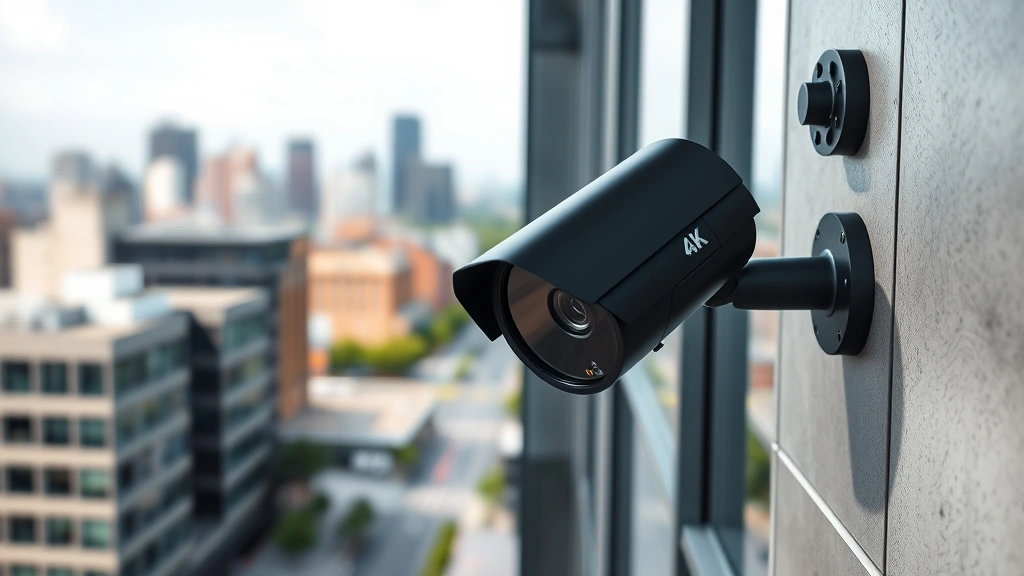
4K Security Cameras: Are They Truly Secure? Expert View
The surge in 4K security camera systems has transformed how homeowners and businesses approach surveillance. With stunning ultra-high-definition video quality, these systems promise crystal-clear footage of every detail. However, beneath the impressive resolution lies a critical question that security experts are increasingly raising: are 4K security cameras truly secure, or do they introduce new vulnerabilities that threaten your privacy and network safety?
As cyber threats evolve at an alarming pace, the security of your surveillance infrastructure has become just as important as the quality of the footage it captures. A compromised camera system doesn’t just expose your physical space—it can serve as an entry point for attackers to infiltrate your entire network, steal personal data, and compromise your digital life.
This comprehensive analysis examines the real security implications of 4K security camera systems, separating marketing promises from technical reality. We’ll explore the vulnerabilities that make these systems attractive targets for cybercriminals, the best practices for securing your installation, and what manufacturers and users must do to ensure genuine protection.
Understanding 4K Security Camera Vulnerabilities
4K security cameras operate at significantly higher processing demands than their lower-resolution counterparts. This increased computational load creates a unique security landscape that manufacturers and users often overlook. The additional processing power required to handle ultra-high-definition video streams introduces more complex software layers, each representing potential attack surfaces.
Security researchers have identified that 4K camera systems typically contain multiple embedded processors, networking modules, and storage components—each requiring independent security hardening. A single unpatched vulnerability in any of these components can compromise the entire system. The complexity increases exponentially when considering cloud connectivity, mobile app integration, and remote access features that most modern 4K systems include.
The Cybersecurity and Infrastructure Security Agency (CISA) has documented numerous incidents involving compromised surveillance systems used as springboards for larger network attacks. When your 4K security camera network becomes infected with malware, attackers gain persistent access to your internal network topology, can intercept traffic, and establish themselves for long-term exploitation.
Many manufacturers prioritize resolution and feature sets over foundational security architecture. This creates systems that look impressive on specification sheets but lack the security foundations necessary to protect against determined attackers. The pressure to deliver cutting-edge features within tight development cycles often means security takes a back seat to functionality.
Network Security Risks in Ultra-HD Systems
The bandwidth requirements of 4K video create substantial network strain that extends security implications beyond the cameras themselves. A single 4K camera can consume between 4-15 Mbps of bandwidth depending on compression and frame rate, meaning a multi-camera 4K surveillance system can significantly impact network performance and create new attack vectors.
When cameras consume excessive bandwidth, they can be weaponized in distributed denial-of-service (DDoS) attacks. In 2016, the Mirai botnet compromised over 600,000 internet-connected devices, including numerous security cameras, to launch one of the largest DDoS attacks in history. Modern 4K cameras, with their increased processing capabilities and network connectivity, represent even more attractive targets for botnet operators.
Network segmentation becomes critical but is rarely implemented properly in residential installations. Many users connect their 4K cameras directly to the same network as computers, smartphones, and IoT devices containing sensitive personal information. This creates a direct pathway for attackers to pivot from a compromised camera to your personal files, financial data, and identity information.
The lack of proper network monitoring means most users remain unaware when their cameras are actively participating in attacks or exfiltrating data. Your 4K system could be sending footage to unauthorized servers, communicating with command-and-control infrastructure, or attacking other networks—and you’d never know without dedicated network security monitoring.

Default Credentials and Authentication Failures
One of the most persistent vulnerabilities in 4K security camera systems stems from inadequate authentication mechanisms. Manufacturers frequently ship systems with default usernames and passwords—often hardcoded into the firmware and impossible to change completely. Security researchers have documented cases where default credentials remain active even after users believe they’ve changed them.
The National Institute of Standards and Technology (NIST) cybersecurity framework emphasizes identity and access management as foundational security controls. Yet many 4K camera manufacturers fail to implement even basic authentication best practices. Weak password requirements, lack of multi-factor authentication, and absence of account lockout policies plague the industry.
Public databases of default credentials for thousands of camera models make it trivially easy for attackers to gain access. Shodan, a search engine for internet-connected devices, can identify exposed 4K cameras with default credentials within seconds. Once inside, attackers have complete control over the system, including the ability to disable logging and cover their tracks.
Biometric authentication and token-based access controls—standard in enterprise security—remain absent from most consumer 4K systems. The authentication gap between consumer and enterprise surveillance creates a dangerous security disparity where residential and small business systems offer minimal protection against sophisticated attackers.
Firmware and Software Update Challenges
4K security cameras require regular firmware updates to patch discovered vulnerabilities, but the update ecosystem remains fragmented and unreliable. Many manufacturers provide no automatic update mechanism, leaving users responsible for manually downloading and installing patches—a process most users never perform.
The complexity of 4K systems means firmware updates can introduce new vulnerabilities while fixing others. Testing becomes insufficient, leading to situations where security patches break functionality or introduce stability issues. Users then face a difficult choice: remain vulnerable to known exploits or install updates that might compromise camera reliability.
Extended support periods are rarely guaranteed for 4K camera systems. Products discontinued or replaced by newer models often stop receiving security updates while remaining actively used in the field. A camera purchased three years ago may no longer receive patches for newly discovered vulnerabilities, yet continues operating on your network indefinitely.
Supply chain vulnerabilities compound these challenges. Cameras may contain pre-installed malware from manufacturers or distributors, particularly those sourced from regions with limited security oversight. By the time users receive their 4K systems, they may already be compromised before ever being connected to a network.
Encryption: The Missing Link
Encryption represents the critical missing component in many 4K security camera implementations. While manufacturers advertise secure cloud storage and encrypted transmission, the reality often involves unencrypted video streams traveling across networks where they can be intercepted and recorded.
End-to-end encryption—where data remains encrypted from the camera through storage and to the viewer—remains rare in consumer 4K systems. Most implementations encrypt data in transit but store it unencrypted on cloud servers, creating centralized honeypots for attackers. A breach of the manufacturer’s cloud infrastructure exposes all stored footage from all users simultaneously.
The encryption algorithms themselves sometimes prove inadequate. Security audits have revealed 4K systems using deprecated encryption standards, weak key management practices, and implementations vulnerable to side-channel attacks. Encryption that looks secure on paper fails when examined by competent security researchers.
Local storage encryption is virtually non-existent in consumer 4K systems. Footage stored on hard drives or SD cards remains completely unencrypted, accessible to anyone with physical access to the storage media. This creates particular risk in multi-tenant environments, commercial settings, or situations where maintenance personnel access your equipment.
Best Practices for Securing Your System
Despite these inherent vulnerabilities, you can substantially improve the security posture of your 4K security camera system through proper implementation and ongoing maintenance. These practices significantly reduce your risk profile without requiring professional installation or expensive enterprise solutions.
Network Segmentation and Isolation: Create a dedicated network segment for your 4K cameras completely isolated from computers, smartphones, and sensitive devices. Use a separate WiFi network with its own password, or better yet, a wired network with a managed switch. This containment strategy prevents attackers from using compromised cameras as bridges to access your personal data.
Change Default Credentials Immediately: Upon installation, change all default usernames and passwords to strong, unique credentials. Use passwords of at least 16 characters combining uppercase, lowercase, numbers, and symbols. Store these credentials in a password manager rather than writing them down or using the same password across multiple systems.
Enable All Available Security Features: Activate two-factor authentication if available, restrict access by IP address, disable remote access if not needed, and disable UPnP which automatically opens firewall ports. Review all security settings in both the camera interface and your mobile app regularly.
Regular Firmware Updates: Check for firmware updates monthly and install them promptly. Subscribe to security notifications from your camera manufacturer if available. Maintain detailed records of which firmware versions run on each camera for future reference and troubleshooting.
Network Monitoring: Monitor the data your 4K cameras transmit. Use network analysis tools to identify unusual traffic patterns, connections to unexpected servers, or excessive bandwidth consumption that might indicate compromise. Many home network devices now include basic traffic monitoring capabilities.
Firewall Configuration: Configure your firewall to restrict inbound connections to cameras and block outbound connections except to legitimate services. Disable universal plug and play (UPnP) which can automatically create firewall exceptions. Consider implementing a demilitarized zone (DMZ) for camera systems.

Choosing Secure 4K Camera Systems
When evaluating 4K security camera options, prioritize security architecture over resolution and feature count. A system that prioritizes genuine security will provide measurable advantages over competitors focused purely on image quality.
Manufacturer Track Record: Research how manufacturers respond to security vulnerabilities. Do they publish security advisories? Do they patch vulnerabilities promptly? Have they been involved in major security incidents? Manufacturers with transparent security practices and demonstrated commitment to updates deserve preference over those with poor track records.
Security Certifications: Look for systems that have achieved recognized security certifications such as Common Criteria or industry-specific standards. While not perfect, these certifications indicate third-party security evaluation. Avoid systems with no independent security assessment.
Local Processing Capability: Prefer systems that can process and store footage locally without requiring cloud connectivity. This reduces exposure to cloud-based breaches and gives you complete control over your data. Cloud features should be optional, not mandatory.
Open Standards Support: Systems using open standards like RTSP (Real Time Streaming Protocol) provide more flexibility and reduce vendor lock-in. Proprietary protocols make it harder to verify security and limit your ability to integrate with third-party security tools.
Transparency and Documentation: Reputable manufacturers provide detailed security documentation, threat models, and implementation guides. If a manufacturer refuses to discuss security architecture or provides vague responses to security questions, that’s a significant red flag.
Consulting resources like IoT Security Foundation guidelines and security intelligence reports can help inform your purchasing decisions with current threat intelligence.
FAQ
Are all 4K security cameras vulnerable to hacking?
Most consumer 4K security camera systems contain exploitable vulnerabilities, though the severity varies. Systems from manufacturers prioritizing security are significantly harder to compromise than budget alternatives. However, no system is completely secure—the goal is minimizing risk through proper implementation and maintenance.
Should I avoid 4K cameras due to security concerns?
4K resolution itself doesn’t inherently create security problems. The issue stems from how manufacturers implement these systems. Properly secured 4K systems can provide excellent surveillance while maintaining reasonable security. The key is choosing manufacturers who prioritize security and implementing the systems correctly.
Is it safer to use local storage instead of cloud storage?
Local storage eliminates exposure to cloud-based breaches but introduces physical security risks. The most secure approach combines both: local storage as primary with encrypted cloud backup for redundancy. This provides protection against both cyber attacks and physical theft or destruction.
How often should I update my camera firmware?
Check for firmware updates monthly and install them within two weeks of availability. Critical security patches should be installed immediately. Maintain a schedule to ensure consistent attention to updates rather than sporadic, reactive patching.
Can I use my 4K security camera system on my main home network?
While technically possible, it’s not recommended. Network segmentation provides critical protection. At minimum, place cameras on a separate WiFi network with restricted access. Better yet, use a dedicated wired network that cannot communicate with devices containing personal data.
What should I do if I suspect my cameras have been compromised?
Immediately disconnect the affected cameras from your network. Change all passwords for your security system and any associated cloud accounts. Update firmware to the latest version. Check your network for suspicious activity using network analysis tools. Contact the manufacturer to report the incident and request security guidance.


