
Is Your 4G Security Camera Safe? Expert Insights on Wireless Surveillance Security
4G security cameras have revolutionized how we monitor our homes and businesses, offering wireless convenience without the need for complex wiring or broadband infrastructure. However, this accessibility comes with significant security risks that many users overlook. As cyber threats continue to evolve, understanding the vulnerabilities inherent in 4G security camera systems has become essential for protecting your privacy and physical security.
The proliferation of Internet of Things (IoT) devices, including security cameras, has created an expanded attack surface for cybercriminals. A 4G security camera is not just a simple recording device—it’s a networked computer with internet connectivity, making it a potential entry point into your personal or business network. This comprehensive guide explores the security landscape surrounding 4G security cameras, identifies critical vulnerabilities, and provides actionable recommendations to safeguard your surveillance infrastructure.
Understanding 4G Security Camera Vulnerabilities
4G security cameras operate on cellular networks, transmitting video feeds and sensor data across infrastructure you don’t control. This fundamental architecture introduces several inherent vulnerabilities that distinguish them from traditional wired security systems. Unlike hardwired cameras connected to your local network, 4G cameras establish direct internet connections, bypassing some protective barriers while introducing new risk vectors.
The primary vulnerability stems from the camera’s dual nature as both a surveillance device and an internet-connected computer. Most 4G security cameras run embedded operating systems with limited security updates, creating a persistent vulnerability window. Manufacturers often discontinue security patches after a few years, leaving older models exposed to known exploits indefinitely. This creates what security researchers call the “legacy vulnerability problem,” where devices remain functional but increasingly compromised.
Network-level vulnerabilities compound these device-specific issues. 4G cellular networks, while encrypted at the carrier level, don’t provide end-to-end encryption between your camera and your viewing application. This means data can be intercepted at multiple points: during transmission to cloud servers, while stored in manufacturer databases, or during delivery to your smartphone or computer. The Cybersecurity and Infrastructure Security Agency (CISA) has issued multiple warnings about unsecured IoT devices, specifically highlighting security cameras as frequent targets for botnet recruitment and unauthorized access.
Common Attack Vectors and Threat Models
Understanding how attackers compromise 4G security cameras helps you implement effective countermeasures. The most common attack vectors include weak default credentials, unpatched firmware vulnerabilities, inadequate encryption protocols, and misconfigured cloud storage permissions.
Default Credential Exploitation: Many 4G security cameras ship with default usernames and passwords that users never change. Attackers maintain databases of these credentials, attempting them against thousands of devices daily. A single compromised camera can provide reconnaissance data about your property, schedule, and security practices. This information enables physical crimes like burglary, where attackers know when you’re away and where valuables are located.
Firmware Vulnerabilities: Embedded firmware contains numerous potential security flaws. Remote code execution vulnerabilities allow attackers to execute arbitrary commands on your camera, potentially using it as a pivot point to attack your home network. Buffer overflow exploits, SQL injection vulnerabilities, and authentication bypass flaws are regularly discovered in security camera firmware. The CISA alerts database contains hundreds of documented vulnerabilities affecting popular camera brands.
Man-in-the-Middle Attacks: If your camera uses unencrypted or weakly encrypted communications, attackers positioned on your network or with access to your cellular carrier’s infrastructure can intercept video feeds and authentication tokens. This enables session hijacking, where attackers view your camera feed or modify settings without your knowledge.
Cloud Service Vulnerabilities: Most 4G cameras store footage in manufacturer-operated cloud servers. These centralized repositories become high-value targets for attackers. Misconfigured cloud storage permissions, inadequate access controls, and insufficient encryption have led to massive breaches exposing millions of camera feeds. In 2023, security researchers discovered multiple popular camera brands storing unencrypted footage with publicly accessible URLs, meaning anyone could view private surveillance without authentication.
Botnet Recruitment: Compromised cameras often join botnets, participating in distributed denial-of-service (DDoS) attacks against websites and infrastructure. Your camera could be attacking critical systems without your knowledge, potentially making you legally liable depending on your jurisdiction.
Encryption and Data Protection Challenges
Encryption forms the foundation of data protection, yet many 4G security cameras implement it inadequately. Understanding encryption challenges specific to security cameras helps you evaluate products more critically.
End-to-end encryption (E2EE) ensures only you and your intended recipients can view your footage. However, most 4G security cameras don’t implement true E2EE. Instead, they use transport layer encryption (HTTPS/TLS) protecting data in transit but not at rest. This means manufacturer employees, cloud service providers, and potentially law enforcement can access your footage on their servers. While HTTPS prevents casual interception, it doesn’t prevent authorized but unwanted access by service providers.
Key management presents another challenge. Encryption is only as strong as key protection. Many cameras use hardcoded encryption keys embedded in firmware, meaning anyone with access to the firmware has the decryption key. This renders encryption meaningless. Proper key management requires secure key generation, storage in tamper-resistant hardware, and regular key rotation—practices rarely implemented in consumer-grade security cameras.
Cipher suite selection matters significantly. Older cameras may use deprecated encryption algorithms like WEP or RC4, which cryptanalysts have broken. Even cameras using stronger algorithms may negotiate weak cipher suites if not properly configured. NIST cybersecurity guidelines recommend specific encryption standards, yet many manufacturers prioritize backward compatibility over security, maintaining support for weak algorithms.
Authentication mechanisms often lack sophistication. Many cameras use simple username-password combinations transmitted over HTTPS, vulnerable to brute force attacks. Multi-factor authentication, certificate-based authentication, and OAuth2 implementations are rare in consumer security cameras, creating single points of failure for account compromise.
Manufacturing and Firmware Security Issues
The security camera manufacturing ecosystem presents systemic vulnerabilities rooted in business practices prioritizing cost and time-to-market over security hardening.
Supply Chain Vulnerabilities: Many security cameras manufactured in regions with weak intellectual property protections incorporate components of questionable origin and integrity. Counterfeit components, altered firmware, and hardware implants can be introduced at various supply chain points. These compromised devices may have backdoors pre-installed, giving attackers persistent access before you even receive the camera.
Firmware Update Practices: Manufacturers often cease firmware updates after 2-3 years, abandoning devices to known vulnerabilities. Some manufacturers never issue security patches, treating cameras as disposable products. This contrasts sharply with smartphones and computers, where security updates continue for 5-7 years. The longer your camera operates without updates, the more vulnerabilities accumulate.
Development Practices: Many camera manufacturers lack formal security development lifecycles. Code reviews, security testing, and vulnerability disclosure programs are uncommon. Developers may lack security training, leading to predictable coding errors like hardcoded credentials, SQL injection vulnerabilities, and improper input validation. Security researcher audits regularly discover critical flaws that should never have passed basic security review.
Third-Party Component Risk: Security cameras integrate numerous third-party libraries and components. A vulnerability in an embedded web server, image processing library, or networking component affects all cameras using that component. Manufacturers often fail to track component versions or apply security patches to dependencies, creating cascading vulnerabilities.
Best Practices for Securing Your 4G Cameras
Despite inherent vulnerabilities, you can significantly improve your 4G security camera safety through deliberate security practices.
Change Default Credentials Immediately: The first step after installing any 4G camera is changing the default username and password. Use strong, unique passwords combining uppercase and lowercase letters, numbers, and special characters. Store these credentials in a password manager rather than writing them down. This single action eliminates the easiest attack vector.
Enable All Available Security Features: Most cameras offer optional security configurations that users ignore. Enable two-factor authentication if available, restrict access to known IP addresses, and disable unnecessary services. Review all available settings in the manufacturer’s security documentation—many users miss critical hardening options.
Maintain Firmware Currency: Check for firmware updates monthly. Subscribe to manufacturer security announcements to receive notifications about critical updates. While not all updates address security issues, security updates are essential. Test updates on a non-critical camera before deploying to primary surveillance systems.
Implement Network Segmentation: Isolate your security cameras on a separate network segment from computers, phones, and other devices. This prevents a compromised camera from directly accessing your personal devices or data. Most modern routers support guest networks or VLAN functionality enabling this segmentation without technical expertise.
Use Strong, Unique Passwords: Your camera password should differ from passwords for email, banking, and other services. If a camera is compromised and passwords are exposed, attackers won’t access your critical accounts. Password managers like Bitwarden, 1Password, or KeePass simplify managing unique passwords across numerous devices.
Monitor Camera Activity: Regularly review access logs if your camera provides them. Unexpected access attempts, unusual login times, or geographic anomalies warrant investigation. Some cameras log failed authentication attempts—a high volume suggests brute force attacks against your account.
Choosing Secure Surveillance Solutions
When selecting a 4G security camera, security should factor prominently into your decision alongside features and price.
Vendor Track Record: Research the manufacturer’s security history. Have they disclosed vulnerabilities responsibly? Do they maintain a security advisories page? Do independent researchers report regular vulnerabilities, suggesting poor development practices? Vendors with transparent security practices and timely patch histories warrant preference over those with undisclosed vulnerabilities or slow response times.
Local vs. Cloud Storage: Cameras offering local storage options reduce dependency on manufacturer cloud services. If your camera supports microSD card storage or connection to local network storage, use these options instead of relying on cloud backup. This gives you direct control over footage and reduces exposure to cloud service vulnerabilities.
Open Standards and Interoperability: Cameras supporting open standards like ONVIF (Open Network Video Interface Format) reduce vendor lock-in and enable third-party security reviews. Proprietary systems obscure security practices, making independent evaluation impossible. Open standards facilitate community scrutiny and faster vulnerability disclosure.
Privacy-Focused Features: Some manufacturers prioritize privacy, implementing end-to-end encryption, local processing without cloud transmission, and transparent data practices. These privacy-centric options typically cost more but provide substantially better security. Products designed for privacy from inception offer better protection than security bolted onto privacy-indifferent platforms.
Professional Installation Considerations: For critical applications, consider professionally installed systems from established security companies. These systems often include managed services, professional monitoring, and guaranteed security updates. The additional cost often justifies itself through superior security practices and professional support.
Network Segmentation and Access Control
Implementing proper network architecture represents one of your most effective security measures, protecting against camera compromise spreading to other devices.
VLAN Implementation: Virtual Local Area Networks (VLANs) logically separate devices without requiring physical network separation. Create a dedicated VLAN for security cameras, restricting communication between the camera network and your primary network. This requires a managed switch or router supporting VLAN configuration, but provides excellent isolation at minimal cost.
Firewall Rules: Configure your router’s firewall to restrict inbound and outbound traffic from cameras. Cameras should only communicate with specific manufacturer servers required for operation. Block unnecessary outbound connections—many cameras attempt to communicate with unknown servers for analytics or advertising purposes. Restrict inbound access to your cameras to specific devices and IP addresses.
Access Point Isolation: Modern routers offer “AP Isolation” or “Client Isolation” features preventing wireless devices from accessing each other. Enabling this feature on your camera’s wireless network prevents devices connected to that network from accessing your computer or phone, even if on the same physical router.
Regular Security Audits: Periodically scan your network for unauthorized devices and unexpected connections. Use network monitoring tools to identify unusual traffic patterns from your cameras. Many security professionals recommend quarterly security reviews checking for configuration drift and unauthorized changes.
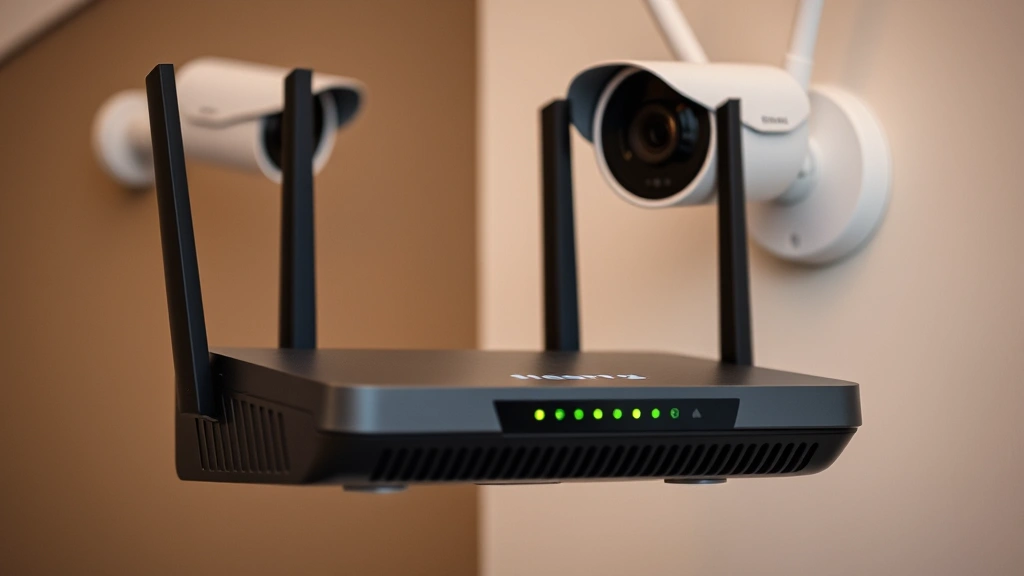
Intrusion Detection Considerations: For advanced security, consider implementing network intrusion detection systems (IDS) monitoring traffic to and from your cameras. These systems identify suspicious patterns suggesting compromise, alerting you to potential attacks. While primarily used in enterprise environments, consumer-grade options now exist for sophisticated home networks.
Remote Access Security: Many users enable remote access to view cameras from outside their home network. This convenience introduces significant risk. If you enable remote access, use a VPN (Virtual Private Network) to access your camera rather than exposing it directly to the internet. A VPN creates an encrypted tunnel protecting your connection and hiding your camera’s IP address from potential attackers. This substantially reduces your attack surface.
Physical Security Considerations: Don’t overlook physical security. Ensure cameras are mounted securely where attackers cannot easily disable or tamper with them. Weatherproof housings protect against environmental attacks. For outdoor cameras, ensure power cables are protected and difficult to cut. Physical tampering should be as difficult as cyber attacks.

FAQ
Are 4G security cameras completely unsafe?
No, 4G security cameras are not inherently unsafe, but they require careful configuration and maintenance. With proper security practices, firmware updates, strong credentials, and network segmentation, 4G cameras provide acceptable security for most users. The risk increases dramatically if you ignore security fundamentals, but informed users can mitigate the primary risks substantially.
Should I avoid 4G cameras and use wired alternatives instead?
Wired cameras connected to your local network offer different security trade-offs. They eliminate cellular carrier involvement but require robust local network security. Many users find 4G cameras more practical for locations where running cables is impractical. Neither option is universally superior—the best choice depends on your specific situation, technical capabilities, and security priorities.
How often should I update my camera’s firmware?
Check for firmware updates monthly. Critical security updates should be installed immediately. Non-security updates can be scheduled for convenient maintenance windows. Never ignore security update notifications—delays leave your camera vulnerable to known exploits.
What should I do if my camera is compromised?
If you suspect compromise, immediately change all passwords, update firmware to the latest version, factory reset the camera if possible, and reconfigure with new credentials. Review network access logs for unauthorized connections. If the camera was accessed, assume any footage or credentials may have been exposed. Monitor your accounts for suspicious activity and consider credit monitoring if personal information was visible on camera.
Do I need a VPN for 4G camera security?
A VPN significantly enhances security if you access your cameras remotely. VPNs encrypt your connection and hide your camera’s IP address, preventing attackers from discovering your camera’s location. While not mandatory, VPNs represent one of the most effective protections for remote access scenarios. Many security professionals recommend VPN use for any remote camera access.
Are cloud storage services secure for camera footage?
Cloud storage security varies dramatically between providers. Reputable cloud services implement strong encryption, access controls, and security audits. However, no cloud service is perfectly secure—assume all cloud data is potentially accessible to authorized service providers. For sensitive environments, prefer local storage options or end-to-end encrypted services. Review the manufacturer’s privacy policy and security practices before trusting them with your footage.
What’s the difference between HTTP and HTTPS for camera access?
HTTP transmits data unencrypted, allowing anyone on your network to intercept your camera feed and credentials. HTTPS encrypts data in transit, preventing interception. All camera connections should use HTTPS exclusively. If your camera only offers HTTP, consider it a serious security deficiency and either update to a more secure model or restrict access to isolated networks.
For additional security guidance, consult CISA’s IoT security resources and Electronic Frontier Foundation security recommendations. These authoritative sources provide ongoing guidance as threats evolve. Organizations like Gartner and Forrester regularly publish security camera reviews evaluating vendor practices and product security features, helping you make informed purchasing decisions.
Your 4G security camera represents an investment in protection and peace of mind. By understanding its vulnerabilities and implementing comprehensive security practices, you can enjoy surveillance benefits while minimizing risks. Security is not a one-time configuration but an ongoing commitment to maintaining your system’s integrity through regular updates, monitoring, and best practice adherence. The effort invested in camera security provides substantial returns through protected assets, privacy preservation, and peace of mind knowing your surveillance system itself isn’t compromised.


