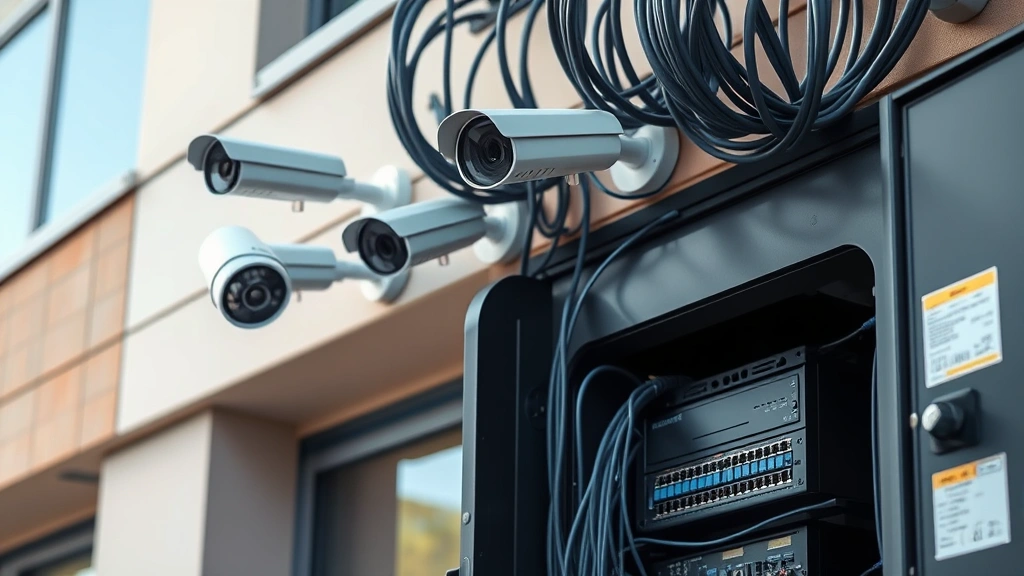
Is Your 4 Camera Security System Safe? Expert Advice
A 4 camera security system represents a popular choice for homeowners and small businesses seeking basic perimeter protection. However, the mere presence of cameras does not guarantee your security infrastructure is actually safe from cyber threats, physical vulnerabilities, or configuration weaknesses. Many users deploy these systems without understanding the critical security implications that come with networked surveillance technology.
The cybersecurity landscape has shifted dramatically in recent years. Security cameras are no longer isolated devices—they are networked endpoints that can be exploited, compromised, or weaponized by threat actors. Your 4 camera security system likely connects to the internet, stores footage in the cloud, and integrates with mobile applications. Each of these connection points represents a potential attack vector that requires proper hardening, authentication protocols, and ongoing monitoring.
This comprehensive guide examines the security posture of 4 camera systems, identifies common vulnerabilities, and provides expert recommendations to protect your surveillance infrastructure from both cyber and physical threats.
Common Vulnerabilities in 4 Camera Systems
Security camera systems, regardless of brand or price point, frequently exhibit predictable vulnerability patterns that attackers actively exploit. Understanding these weaknesses is the first step toward implementing effective countermeasures.
Default Credentials Exploitation remains one of the most prevalent attack vectors. Manufacturers ship cameras with default usernames and passwords (often “admin/admin” or “admin/12345”) that many users never change. Threat actors maintain databases of default credentials for hundreds of camera models. Once they gain access, they can disable recording, modify footage, or pivot to other network resources. A CISA alert documented how default credentials enabled unauthorized access to surveillance systems across critical infrastructure.
Weak Encryption Standards plague many consumer-grade systems. Some 4 camera setups use outdated encryption protocols or transmit video feeds over unencrypted connections. This allows network-adjacent attackers to intercept footage, credentials, or system commands through man-in-the-middle attacks. The absence of proper TLS/SSL implementation creates significant exposure.
Unpatched Firmware Vulnerabilities accumulate over time as manufacturers discover flaws but users neglect updates. Remote code execution vulnerabilities in camera firmware can grant complete system control to attackers. These vulnerabilities often remain exploitable for years after disclosure because users disable automatic updates or forget manual patching routines.
Inadequate Network Segmentation represents a critical architectural flaw. When cameras connect to the same network as computers, servers, or IoT devices without proper isolation, a compromised camera becomes a beachhead for lateral movement attacks. Attackers can pivot from the camera to access sensitive data or systems.

Network Security Configuration Best Practices
Implementing proper network architecture is fundamental to protecting your 4 camera security system. This requires deliberate configuration choices that isolate surveillance infrastructure from general-purpose computing environments.
VLAN Segmentation and Isolation should be your first architectural layer. Create a dedicated VLAN (Virtual Local Area Network) exclusively for surveillance equipment. This prevents cameras from directly accessing your personal computers, NAS devices, or other sensitive systems. Configure firewall rules that allow cameras to communicate only with their designated NVR (Network Video Recorder) or cloud service, blocking unnecessary traffic patterns.
Firewall Rule Implementation requires careful planning. Allow inbound access only to necessary ports (typically RTSP port 554 for streaming, or proprietary ports for management interfaces). Block all unnecessary protocols and services. Use stateful firewalls that understand application-layer protocols to detect anomalous behavior. NIST cybersecurity guidelines recommend default-deny policies where only explicitly permitted traffic flows.
Network Address Translation (NAT) and port forwarding should be configured conservatively. Avoid exposing camera management interfaces directly to the internet. If remote access is necessary, implement a VPN tunnel rather than port-forwarding the management interface. This adds authentication layers and encryption that prevent direct exposure.
Quality of Service (QoS) Configuration protects your network from bandwidth exhaustion attacks. Allocate bandwidth limits to camera streams so that compromised cameras cannot saturate your internet connection or disrupt other services. This also helps detect unusual traffic patterns indicative of exfiltration attempts.
Authentication and Access Control
Strong authentication mechanisms are non-negotiable for securing your 4 camera system. Weak authentication is the primary reason surveillance systems fall victim to unauthorized access.
Password Management Requirements begin immediately after installation. Change all default credentials to strong, unique passwords at least 16 characters long, incorporating uppercase, lowercase, numbers, and symbols. Use a CISA-recommended password manager to generate and store these credentials securely. Different passwords must be used for each camera, the NVR system, and any cloud services.
Multi-Factor Authentication (MFA) should be enabled wherever available. If your camera system supports MFA for remote access or cloud services, activate it immediately. This prevents attackers from gaining access even if they obtain your password through phishing or credential stuffing attacks. Hardware security keys provide the strongest MFA implementation.
Role-Based Access Control (RBAC) allows you to restrict what different users can do within your system. Create separate accounts for family members, employees, or service technicians with permissions limited to their specific needs. An employee monitoring entry points doesn’t need access to modify firmware or delete footage. This principle of least privilege limits damage if individual accounts are compromised.
Account Monitoring and Audit Logs help detect unauthorized access attempts. Regularly review login logs for your cameras and NVR system. Look for failed login attempts, unusual access times, or logins from unexpected geographic locations. Many cameras support email alerts for suspicious authentication activity.
Firmware Updates and Patch Management
Firmware represents the foundational software layer controlling your camera hardware. Vulnerabilities in firmware can completely undermine all other security measures.
Automatic Update Configuration should be enabled by default. Most modern 4 camera systems offer automatic firmware update functionality. Enable this feature so that security patches deploy immediately when manufacturers release them. Automatic updates eliminate the common scenario where users postpone patching indefinitely.
Scheduled Update Windows prevent disruption to your surveillance coverage. Configure automatic updates to occur during low-activity periods, such as late evening or early morning hours. This ensures patches deploy without interrupting active monitoring when you need it most.
Manufacturer Security Bulletins require active monitoring. Subscribe to security notifications from your camera manufacturer. When vulnerabilities are disclosed, manufacturers typically provide patches within days. Knowing about vulnerabilities allows you to prioritize patching or implement temporary mitigations if immediate patching isn’t possible.
Rollback and Testing Procedures should be documented before updates occur. While rare, firmware updates occasionally introduce compatibility issues or bugs. Maintain backups of previous firmware versions and document your system configuration so you can revert if necessary. Test updates in a non-critical environment if possible before deploying to production cameras.
Cloud Storage and Data Privacy
Many 4 camera systems offer cloud backup and remote viewing through cloud services. This convenience introduces significant privacy and security considerations.
End-to-End Encryption Requirements are essential for cloud-based footage. Verify that your camera system implements end-to-end encryption where footage is encrypted before leaving your local network and can only be decrypted by authorized viewers. This prevents cloud service providers, ISPs, or network attackers from viewing your footage.
Data Residency and Jurisdiction affect your privacy rights and legal protections. Understand where cloud providers store your footage. Different countries have different data protection laws. The European Union’s GDPR, for example, provides stronger privacy protections than some other regions. Choose cloud services with data centers in jurisdictions aligned with your privacy expectations.
Retention Policies and Automatic Deletion limit exposure from prolonged data storage. Configure your cloud service to automatically delete footage older than a specified period (typically 7-30 days). This reduces the window of opportunity for attackers to access historical footage and limits the amount of personal data retained by cloud providers.
Third-Party Access and Sharing Controls prevent unauthorized data exposure. Review your camera system’s sharing settings regularly. Disable sharing links that are no longer needed. Be cautious about granting access to service technicians or contractors—provide temporary, limited-scope access rather than permanent credentials. Document all access grants and revoke them promptly when no longer needed.
Physical Security Considerations
Cyber security is only part of the equation. Physical security of your 4 camera system determines whether attackers can tamper with hardware directly.
Camera Placement and Accessibility should prevent easy tampering. Mount cameras in elevated positions that are difficult to reach or damage. Avoid placing cameras where they can be easily covered, disabled, or stolen. Consider whether camera locations are visible to potential attackers—obvious camera placement can prompt targeted attacks or theft.
Cable Protection and Routing prevents physical disconnection or sabotage. Use protective conduit for camera cables, especially in outdoor installations. Avoid running cables through accessible areas where they can be cut or severed. If possible, bury outdoor cables underground or run them through walls rather than along exterior surfaces.
Power Supply Redundancy ensures cameras continue operating during outages or attacks. Implement uninterruptible power supplies (UPS) for your NVR and network infrastructure. Consider backup internet connections (such as cellular hotspots) so that remote access and cloud backup continue during primary internet outages. Some attackers intentionally cause power outages to disable surveillance systems.
Physical Tamper Detection alerts you to hardware interference attempts. Some advanced camera systems include tamper detection that alerts you if a camera is moved, covered, or physically accessed. Enable these features and configure notifications to your mobile device or email.
Monitoring and Threat Detection
Continuous monitoring is essential for detecting security incidents before they cause significant damage. Passive systems that operate without active oversight frequently fall victim to attacks.
Anomaly Detection Patterns help identify unusual behavior. Learn your system’s normal operating parameters—typical bandwidth consumption, regular access times, expected camera connections. When actual behavior deviates significantly from these patterns, it may indicate compromise. Sudden spikes in network traffic, unexpected remote access attempts, or offline cameras warrant investigation.
Log Analysis and Review provides historical records of system activity. Regularly review authentication logs, access records, and system events. Many attacks leave evidence in logs before causing observable damage. Look for patterns such as repeated failed login attempts, access from unusual locations, or configuration changes you didn’t authorize.
Network Traffic Monitoring detects communication with malicious servers. If a camera becomes compromised, attackers typically establish command-and-control connections to external servers. Network monitoring tools can identify unexpected outbound connections to suspicious IP addresses or domains. Security research platforms provide information about known malicious infrastructure.
Regular Security Audits should be scheduled quarterly or semi-annually. Conduct comprehensive reviews of your 4 camera system configuration, access controls, firmware versions, and security settings. Compare current configurations against your documented security baseline to identify unauthorized changes or configuration drift.
FAQ
How often should I update firmware on my 4 camera security system?
Enable automatic firmware updates so patches deploy immediately when released. If automatic updates aren’t available, check for updates monthly. Security vulnerabilities should be patched within days of discovery, so manual monthly checks ensure timely patching.
Can my 4 camera system be hacked remotely?
Yes, remote hacking is possible if cameras are exposed to the internet, use weak credentials, or contain unpatched vulnerabilities. This is why network segmentation, strong authentication, and regular patching are critical. Proper configuration makes remote exploitation significantly more difficult.
Should I disable remote access to my cameras for security?
Disabling remote access eliminates certain attack vectors but sacrifices convenience and legitimate use cases. Instead of disabling remote access, implement it securely using VPN tunnels, strong authentication, and proper network controls. This balances security with functionality.
What should I do if I suspect my camera system has been compromised?
Immediately change all passwords, review access logs for unauthorized activity, check for unusual network traffic, and update firmware to the latest version. If compromise is confirmed, consider factory resetting cameras and reconfiguring from scratch. Contact your manufacturer’s security team to report the incident.
Do I need professional installation for security?
While professional installation isn’t mandatory, it provides several benefits including proper network segmentation, secure configuration, and documentation. If you install yourself, follow manufacturer security hardening guides carefully and consider having a security professional review your configuration.
How much bandwidth should my 4 camera system consume?
Bandwidth consumption depends on camera resolution and frame rate. Typical systems consume 1-4 Mbps per camera for streaming. Significantly higher consumption may indicate compromise or misconfiguration. Monitor bandwidth regularly to establish baseline patterns and detect anomalies.


