Protect Your SD Card: Expert Data Security Tips
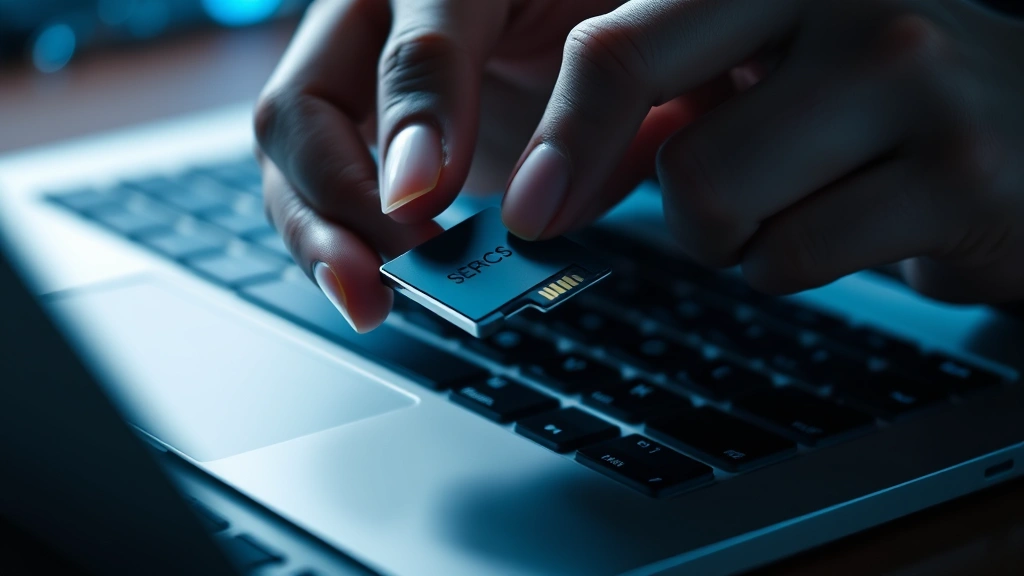
SD cards have become essential storage devices for cameras, smartphones, drones, and portable media players. Whether you’re using a 2GB secure digital card for vintage equipment or modern high-capacity variants, understanding data security risks is critical. These small devices often contain irreplaceable photos, videos, personal documents, and sensitive information that cybercriminals actively target.
The portability that makes SD cards convenient also creates significant security vulnerabilities. Physical loss, unauthorized access, malware infections, and improper disposal can expose your data to breach. This comprehensive guide explores expert-recommended strategies to safeguard your SD card and the valuable information it contains.
Understanding SD Card Security Risks
SD cards represent a unique security challenge in the digital landscape. Unlike cloud storage or networked devices, they operate in relative isolation, which paradoxically creates both advantages and vulnerabilities. The Cybersecurity and Infrastructure Security Agency (CISA) emphasizes that portable storage devices require dedicated protection strategies.
Several critical threats target SD cards specifically. Physical theft remains the most straightforward attack vector—a lost or stolen card can be immediately accessed if unencrypted. Malware infection occurs when cards are inserted into compromised devices, allowing attackers to inject malicious code or exfiltrate data. Unauthorized access happens when users fail to implement password protection or encryption.
A 2GB secure digital card might seem like legacy technology, but many organizations still utilize them in specialized equipment, archival systems, and backward-compatible devices. This creates a false sense of security—older technology doesn’t eliminate data protection requirements. In fact, legacy devices often lack modern security features, making encryption even more critical.
Data exposure risks escalate when SD cards contain business information, medical records, financial documents, or personal identification details. Regulatory compliance frameworks like HIPAA, GDPR, and industry-specific standards mandate encryption for portable devices containing sensitive information. Non-compliance results in substantial fines and reputational damage.
Encryption: Your First Line of Defense
Encryption transforms readable data into unintelligible code, rendering it useless to unauthorized parties even if physical access is gained. This technology represents the most effective protection mechanism for SD cards. NIST guidelines for storage device encryption recommend AES-256 bit encryption as the industry standard.
Full-disk encryption protects the entire SD card contents by encrypting data before it’s written. This approach requires no file-by-file management and ensures comprehensive protection. Windows BitLocker, macOS FileVault, and third-party solutions like VeraCrypt provide robust full-disk encryption capabilities. When implementing encryption, use strong passwords combining uppercase, lowercase, numbers, and special characters—minimum 12 characters for optimal security.
For selective protection, file-level encryption allows you to encrypt specific sensitive files while leaving others accessible. This approach suits scenarios where some data requires protection while other content remains regularly accessed. However, it demands disciplined file management practices.
Hardware-encrypted SD cards offer factory-installed encryption mechanisms that eliminate software dependency. These specialized cards include embedded security chips that handle encryption automatically. While more expensive than standard cards, they provide superior protection for high-value data and eliminate encryption software vulnerabilities.
Implementation steps for encrypting existing SD cards: First, back up all data to a secure location. Second, initialize encryption software compatible with your operating system. Third, create a strong master password and store it securely—consider password managers for encrypted credential storage. Fourth, encrypt the entire card. Finally, restore data gradually while monitoring system performance.
Physical Security Measures
Digital security means nothing if attackers gain physical possession of your SD card. Implementing robust physical protection complements encryption strategies and addresses the human element of security.
Secure storage locations prevent unauthorized access to devices when not in use. Dedicated safes, lockable drawers, or secure cabinets protect against theft and casual access. Organizations should maintain inventory systems tracking which employees possess SD cards and enforce checkout procedures.
Cable locks and protective cases provide portable security for devices containing SD cards. Hardened cases with combination locks prevent casual theft and accidental damage. For travel scenarios, carry SD cards separately from primary devices—if one is compromised, the other remains secure.
Physical access controls in organizational settings restrict who can handle storage devices. Biometric authentication, badge access systems, and surveillance cameras deter internal threats. Establish clear policies defining authorized personnel and monitoring procedures.
Device-level protection prevents unauthorized card insertion into compromised systems. Use USB port locks, disable auto-run features, and configure systems to prompt before accessing external storage. Organizations can implement Group Policy settings restricting removable media access.
Consider implementing air-gapping—maintaining physical separation between secure devices and networked systems. This approach prevents malware transmission but requires manual data transfer, creating operational challenges. Balance security requirements against practical usability constraints.
Safe Data Transfer Practices
Data transfer represents a critical vulnerability window where SD card contents become exposed. Implementing secure transfer protocols protects against interception and unauthorized access during this process.
Trusted device usage ensures data transfers occur on systems you control and maintain. Avoid public computers, shared devices, and unfamiliar systems. Personal computers with updated security software, firewalls, and antivirus protection provide safer transfer environments than public library computers or internet cafes.
Direct connection methods bypass network exposure. USB readers connected directly to computers avoid wireless transmission vulnerabilities. Disable Wi-Fi and Bluetooth during sensitive transfers to eliminate wireless interception possibilities. Use physical cable connections exclusively for high-security scenarios.
Verification procedures confirm data integrity after transfers complete. Compare file checksums using MD5 or SHA-256 hashing algorithms. If checksums mismatch, data corruption or unauthorized modification occurred. Most operating systems include built-in hashing utilities; alternatively, third-party tools like HashTab provide verification functionality.
Quarantine protocols isolate newly transferred data before integration into primary systems. Scan transferred files with updated antivirus software before opening or executing. Monitor system performance for unusual behavior indicating malware infection.
Secure deletion of original data after successful transfer prevents accidental exposure. Standard deletion simply removes file references without destroying actual data. Forensic recovery tools can retrieve deleted files for years afterward. Secure deletion tools overwrite deleted data multiple times, making recovery mathematically impractical. NIST-approved deletion standards specify overwriting procedures for different storage media types.
Malware Protection Strategies
SD cards can serve as malware vectors, transferring infections between devices or serving as persistent infection storage. Comprehensive malware protection requires multi-layered defense approaches.
Antivirus software scans SD card contents for known malicious signatures. Real-time protection monitors card access and alerts users to suspicious activity. Maintain updated virus definition databases—outdated signatures miss emerging threats. Enterprise-grade solutions offer centralized management and threat intelligence integration.
Behavioral analysis tools detect suspicious activities that signature-based detection misses. These systems monitor file execution patterns, system modifications, and network communications. Anomalies trigger alerts before malware establishes persistence. Machine learning algorithms continuously improve detection accuracy.
Sandboxing technology executes suspicious files in isolated environments before allowing system access. Sandboxes simulate legitimate systems while preventing actual system modification. Security analysts observe malware behavior safely, gathering intelligence for improved detection.
Device isolation protocols prevent malware spread if infection occurs. Connect SD cards only to systems you can afford to compromise. Maintain separate computers for sensitive data access and general internet usage. Air-gapped systems provide maximum protection but sacrifice convenience.
Read-only mounting prevents malware from modifying card contents. Mount SD cards with read-only permissions when possible, allowing data access without modification risk. This approach suits scenarios involving data review without updates.
Backup and Recovery Solutions
Comprehensive data protection includes redundant backups ensuring recovery from loss, corruption, or theft. SD cards represent single points of failure when they constitute your only data copy.
3-2-1 backup strategy maintains three data copies across two different media types in one offsite location. For example: original SD card, encrypted external drive backup, and cloud storage copy. This approach protects against simultaneous device failures and localized disasters.
Incremental backups capture only data changes since previous backups, reducing storage requirements and transfer times. Full backups create complete data snapshots; incremental backups then capture modifications. This hybrid approach balances protection comprehensiveness with operational efficiency.
Encrypted cloud storage provides geographically redundant protection. Services like Proton Drive and similar zero-knowledge providers encrypt data client-side before transmission, ensuring cloud providers cannot access contents. However, cloud storage introduces internet exposure and dependency on third-party security practices.
Backup verification ensures restoration capability. Periodically restore data from backups to confirm integrity and accessibility. Unverified backups represent false security—they might corrupt, become inaccessible, or contain incomplete data.
Recovery documentation records passwords, encryption keys, and recovery procedures. Store this information separately from encrypted data—if recovery information is lost, data becomes permanently inaccessible. Consider hardware security keys for critical recovery information.

Secure Disposal Methods
End-of-life SD card disposal requires special attention. Improperly discarded cards enable data recovery even after deletion attempts. Organizations face regulatory obligations and liability exposure from inadequate disposal practices.
Secure wiping software overwrites all card data multiple times using randomized patterns. NIST SP 800-88 guidelines specify overwriting procedures for solid-state storage. Tools like DBAN (Darik’s Boot and Nuke) or manufacturer-provided utilities accomplish this. After wiping, verify the card contains only random data.
Physical destruction provides absolute assurance of data irrecoverability. Professional shredding services reduce SD cards to physical fragments smaller than data recovery is possible from. Degaussing—exposing cards to powerful magnetic fields—disrupts flash memory structure. Some organizations incinerate sensitive cards at high temperatures. Physical destruction suits scenarios involving maximum security requirements.
Certification of destruction documents secure disposal for compliance purposes. Reputable destruction services provide certificates confirming proper handling. These documents protect organizations from liability claims and demonstrate regulatory compliance.
Refurbishment alternatives extend SD card lifecycles through repurposing. Thoroughly wiped cards can be repurposed internally or donated to compatible organizations. Ensure complete data destruction before refurbishment—forensic recovery remains possible if wiping procedures prove inadequate.
Supply chain security prevents disposed cards from reaching secondary markets where data recovery specialists operate. Maintain disposal logs and work exclusively with certified destruction providers. Verify destruction procedures comply with organizational security policies and regulatory requirements.
FAQ
Can SD cards be hacked remotely?
SD cards themselves cannot be hacked remotely since they lack network connectivity. However, devices containing SD cards can be compromised, allowing attackers to access card contents. Malware on host systems can exfiltrate SD card data without physical card theft. This is why comprehensive device security remains essential alongside card-specific protections.
Is a 2GB secure digital card still useful for data protection?
Yes, legacy SD cards remain viable for specific use cases. Smaller capacity cards suit archival storage, legacy equipment compatibility, and situations requiring minimal data transfer. However, their limited capacity means critical data often requires multiple cards or supplementary storage. Encryption and physical security practices apply equally to legacy and modern cards.
What’s the difference between SD, SDHC, and SDXC cards?
SD cards support up to 2GB capacity and operate at slower speeds. SDHC (High Capacity) cards range from 4GB to 32GB. SDXC (Extended Capacity) cards exceed 32GB. Most modern devices support all three formats through backward compatibility. Security practices remain consistent across all variants.
How often should I encrypt my SD card?
Encrypt SD cards before storing sensitive data, ideally during initial setup. Once encrypted, data remains protected continuously without requiring periodic re-encryption. However, if you add new data to encrypted cards, verify the encryption software automatically protects new files. Some encryption implementations require manual re-encryption of new content.
Can I recover data from an encrypted SD card if I forget the password?
Most encryption implementations provide no password recovery mechanism—this prevents unauthorized access but means forgotten passwords result in permanent data loss. Maintain password backups in secure locations separate from encrypted cards. Consider using hardware security keys for critical recovery credentials. Test password recovery procedures before relying on encrypted cards for essential data.
Should I use the read-only switch on SD cards?
Yes, physical read-only switches provide additional protection against accidental or malicious modification. When switched to read-only, SD cards cannot be written to, preventing malware installation and data corruption. However, read-only switches don’t prevent data reading, so encryption remains necessary for confidentiality protection. Use read-only mode for archival data or untrusted environments.


