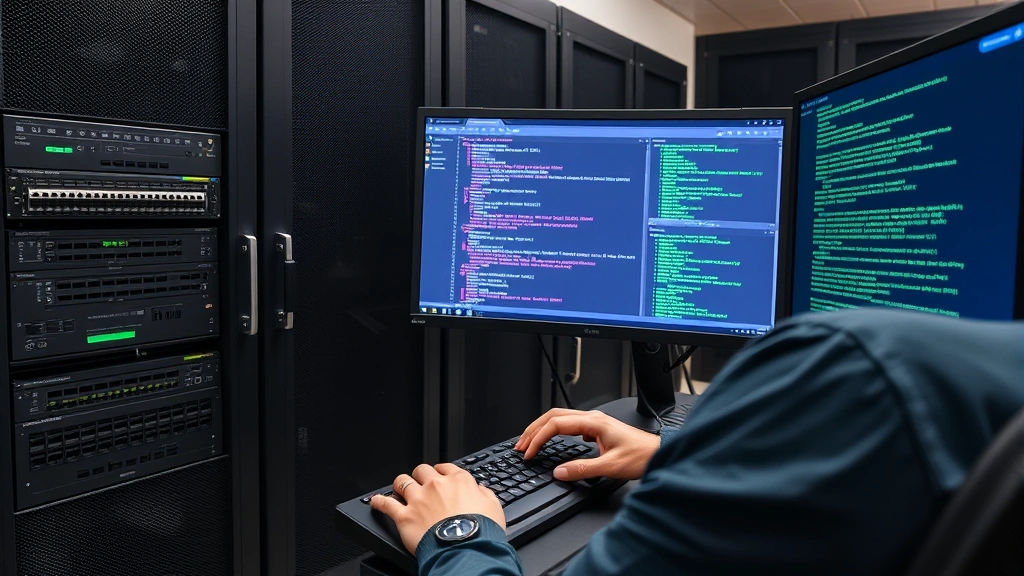
Secure Switch Access: Expert Configuration Guide
Network switch security represents one of the most critical yet often overlooked components of enterprise infrastructure protection. The 10.4.2 lab scenario on secure access to a switch demonstrates fundamental principles that protect your entire network from unauthorized access, credential theft, and lateral movement attacks. Without proper access controls and authentication mechanisms, attackers can compromise switches to intercept traffic, launch man-in-the-middle attacks, or disable critical network segments.
This comprehensive guide walks through expert-level configuration techniques for securing switch access, covering authentication protocols, encryption standards, and privilege escalation prevention. Whether you’re preparing for certification exams or hardening production networks, understanding these security principles protects your infrastructure from insider threats and external attackers seeking network control.

Understanding Switch Access Security Fundamentals
Network switches serve as critical infrastructure components that forward traffic between devices. Unlike end-user systems, switches require remote management capabilities for configuration, monitoring, and troubleshooting. This management access creates a security perimeter that attackers actively target. The 10.4.2 lab scenario specifically addresses protecting in-band management channels where administrators connect via Telnet, SSH, or SNMP protocols.
Switch access security operates on several layers. The first layer involves physical security—restricting who can physically connect console cables to the switch. The second layer encompasses management plane security, protecting remote access channels like SSH and SNMP. The third layer involves control plane protection, ensuring routing protocols and switching operations remain secure. Most breaches exploit weak management plane security, making this layer your primary focus.
Attackers use multiple techniques to compromise switch access. Password spraying attacks attempt common credentials across multiple switches. Man-in-the-middle attacks intercept unencrypted Telnet sessions to capture credentials. Default credential exploitation remains devastatingly effective in many organizations. Social engineering tricks administrators into revealing credentials or access tokens. Understanding these attack vectors informs defensive configurations that prevent unauthorized access.

SSH Configuration and Protocol Selection
Secure Shell (SSH) represents the gold standard for encrypted remote management access to network devices. SSH provides end-to-end encryption, protecting credentials and commands from eavesdropping. Unlike Telnet, which transmits all data in cleartext, SSH encrypts the entire session including authentication exchanges. Implementing SSH requires generating cryptographic key pairs and configuring the switch to accept SSH connections exclusively.
The configuration process begins by generating RSA key pairs on your switch. Modern security standards recommend minimum 2048-bit keys, though 4096-bit keys provide enhanced protection against future cryptographic advances. After generating keys, you enable the SSH server and disable legacy Telnet access entirely. This prevents attackers from downgrading connections to unencrypted protocols. Most enterprise environments enforce SSH version 2 exclusively, as SSH version 1 contains known cryptographic vulnerabilities that attackers exploit.
SSH configuration involves several critical parameters. You must specify which IP addresses or VLANs can initiate SSH connections, implementing access restrictions that prevent attacks from untrusted networks. Setting appropriate session timeouts prevents abandoned sessions from remaining open indefinitely. Configuring SSH authentication timeouts limits brute force attack windows. SSH also supports public key authentication, eliminating password-based vulnerabilities by requiring cryptographic key pairs for access.
The practical implementation on Cisco switches involves commands like ip ssh version 2 to enforce the secure protocol version, ip ssh authentication retries 3 to limit failed login attempts, and ip ssh time-out 60 to disconnect inactive sessions. These parameters work together creating a hardened management channel resistant to common attack patterns. Organizations following NIST guidelines for managing information security implement SSH as mandatory for all network device management.
Authentication Methods and AAA Framework
Authentication, Authorization, and Accounting (AAA) frameworks provide centralized management of user credentials and access permissions across your network infrastructure. Rather than storing local usernames and passwords on individual switches, AAA systems maintain credentials on centralized servers like RADIUS or TACACS+. This approach simplifies credential management, enables password policy enforcement, and creates detailed audit trails of all administrative access.
Local authentication serves as a fallback mechanism when centralized AAA systems become unavailable. Configuring local user accounts involves creating usernames with strong passwords and assigning privilege levels that determine command access. However, local accounts lack the centralized control and audit capabilities of AAA systems. The best practice combines both approaches: primary RADIUS/TACACS+ authentication with local accounts as backup for emergency access.
RADIUS (Remote Authentication Dial-In User Service) provides authentication and accounting functionality across distributed systems. TACACS+ (Terminal Access Controller Access-Control System Plus) offers enhanced security through encrypted authentication exchanges and per-command authorization. TACACS+ encrypts the entire authentication payload, while RADIUS only encrypts passwords, making TACACS+ preferable for sensitive environments. Both protocols require shared secrets—cryptographic keys known only to the switch and authentication server—that protect communication integrity.
Implementing AAA requires configuring authentication order, specifying whether the switch attempts RADIUS/TACACS+ first or falls back to local authentication. Most organizations configure AAA groups that combine multiple servers for redundancy. If the primary authentication server becomes unavailable, the switch queries secondary servers automatically. This resilience prevents complete lockout when individual servers fail. The configuration also specifies authentication methods for console access, SSH sessions, and enable mode separately, allowing different security policies for each access type.
Privilege Levels and Role-Based Access Control
Network switches support privilege levels (0-15) that grant different command access based on user role. Privilege level 0 grants access to minimal commands like logout. Privilege level 1 provides basic user commands for viewing configuration. Privilege level 15 grants complete administrative access. Creating intermediate privilege levels enables role-based access control where junior administrators possess limited capabilities while senior administrators retain full control.
Role-based access control (RBAC) implements the principle of least privilege, granting each user only the permissions necessary for their specific job function. A junior network technician might receive privilege level 5, permitting interface configuration but preventing system-level changes. A network engineer might receive privilege level 10, allowing most configuration changes but requiring approval for critical system modifications. This segmentation prevents mistakes and limits damage from compromised accounts.
Configuring privilege levels involves creating custom command sets assigned to specific privilege levels. You can restrict commands like reload (which reboots the switch) or erase startup-config (which wipes configuration) to privilege level 15 only. This prevents accidental or malicious system disruption by junior staff. Privilege level 15 access typically requires additional authentication through enable passwords or multi-factor authentication, creating a gating mechanism for powerful commands.
Enable passwords provide a second authentication factor protecting privilege level 15 access. Unlike user passwords that grant initial login, enable passwords protect escalation to full administrative capabilities. Using strong enable passwords and rotating them regularly prevents unauthorized privilege escalation. Many organizations combine enable passwords with TACACS+ authorization, requiring both factors for administrative access. This dual-factor approach prevents single points of failure in access control.
Encryption and Credential Protection
Encryption protects credentials and sensitive configuration data from exposure during transmission and storage. SSH encryption protects credentials during remote access sessions. SNMPv3 encryption protects monitoring data from eavesdropping. Configuration backups encrypted with strong algorithms prevent credential extraction if backups leak. Implementing comprehensive encryption across all management channels eliminates multiple attack vectors simultaneously.
Password encryption on switches protects stored credentials from extraction if attackers obtain configuration files. Modern switches support Type 5 encryption (MD5-based) and Type 9 encryption (PBKDF2-based), with Type 9 providing superior strength against brute force attacks. Configuring the switch to use Type 9 encryption for all passwords ensures that even if configuration files leak, attackers require enormous computational resources to crack passwords. Regular password rotation reduces the window where compromised credentials remain valid.
Credential management best practices include never storing passwords in documentation or configuration management systems where multiple personnel access them. Instead, implement credential vaults like HashiCorp Vault or CyberArk that encrypt passwords and provide detailed access logs. When administrators need switch access, they retrieve temporary credentials from the vault, which logs exactly who accessed what resources and when. This audit trail enables detection of unauthorized access attempts.
Session encryption protects not just authentication but entire management sessions from eavesdropping. SSH encryption prevents attackers on the network from capturing commands or responses. For out-of-band management using dedicated management networks, encryption remains important for protecting against insider threats. Implementing VPN tunnels for all remote management access adds additional encryption layers, protecting credentials even if the transport network becomes compromised.
Disabling Insecure Protocols
Legacy protocols like Telnet, HTTP, and SNMPv1/v2 transmit credentials and data in cleartext, enabling attackers to capture sensitive information through network sniffing. Disabling these protocols eliminates entire classes of vulnerabilities. The 10.4.2 lab emphasizes this principle by requiring secure protocol configuration while explicitly preventing insecure alternatives.
Telnet represents the most dangerous legacy protocol, transmitting all data including usernames and passwords in plaintext. Any attacker with network access can capture Telnet traffic using tools like Wireshark, extracting credentials instantly. Despite this known vulnerability, many organizations continue running Telnet on older infrastructure. Disabling Telnet involves executing no ip telnet server and verifying the switch rejects Telnet connection attempts. This forces users to SSH, ensuring encrypted access only.
SNMP versions 1 and 2 use community strings transmitted in cleartext, providing minimal security. Attackers capturing SNMP traffic extract community strings and gain monitoring/configuration capabilities. SNMPv3 addresses these vulnerabilities through encryption and authentication, making it suitable for production use. Migrating monitoring infrastructure to SNMPv3 or alternative protocols like NETCONF eliminates SNMP-based attack vectors.
HTTP management interfaces on switches transmit credentials and commands in cleartext, providing attackers easy credential capture. Disabling HTTP and enforcing HTTPS eliminates this exposure. Many switches provide web-based configuration interfaces—ensure these use HTTPS exclusively with valid certificates. Disabling the HTTP server entirely removes this attack surface entirely, requiring CLI access through SSH instead.
Implementing protocol restrictions involves access control lists that prevent specific traffic types. You can deny all Telnet connections from external networks while permitting SSH exclusively. This layered approach prevents accidental protocol usage while maintaining emergency console access for recovery scenarios. The console port remains available for direct physical access, providing recovery mechanisms if remote access becomes compromised.
Access Lists and Management VLAN Configuration
Access control lists (ACLs) restrict which networks or IP addresses can initiate management connections to switches. Rather than permitting management access from anywhere, ACLs limit access to specific subnets containing authorized administrator workstations. This network segmentation dramatically reduces the attack surface by preventing attackers on untrusted networks from reaching management interfaces.
Management VLAN segregation isolates administrative traffic from regular data traffic. Switches maintain separate management IP addresses on dedicated VLANs, preventing data traffic from reaching management interfaces. This isolation ensures that even if attackers compromise regular network access, they cannot reach management functions. Management VLANs should connect only to trusted administrator networks and centralized authentication servers.
Implementing access restrictions involves creating ACLs that explicitly permit SSH from management networks and deny all other access. The configuration typically includes multiple entries: permit SSH from the primary administrative network, permit SSH from backup administrative networks, deny all other traffic. This explicit permission model ensures only authorized access succeeds while all unauthorized attempts fail.
ACLs also restrict access to specific management protocols and services. You might permit SSH on port 22 while denying HTTP on port 80 and HTTPS on port 443. This prevents web interface exploitation while maintaining SSH access. Some organizations disable all management protocols except SSH and console access, eliminating additional attack vectors entirely. The principle of least privilege guides these decisions—enable only the minimum necessary access.
Management interface configuration involves binding ACLs to virtual terminal lines (vty lines) that handle remote access. Cisco switches typically support multiple vty lines (0-4 or 0-15), each handling simultaneous connections. Configuring identical ACLs across all vty lines ensures consistent access policies regardless of which line administrators use. This prevents attackers from discovering poorly-configured vty lines with weaker restrictions.
Logging and Monitoring Access Events
Comprehensive logging of all administrative access creates audit trails essential for detecting unauthorized access attempts and responding to security incidents. Switches should log successful logins, failed authentication attempts, privilege escalations, and configuration changes. These logs enable security teams to identify compromise attempts, track administrator activities, and investigate incidents after detection.
Syslog configuration sends log messages to centralized logging servers where they receive protection from deletion or modification. Unlike logs stored locally on switches, centralized logs survive switch reboots and remain available for forensic analysis. Syslog servers implement retention policies, archiving logs for extended periods to support historical analysis and compliance requirements. Organizations should encrypt syslog traffic to prevent eavesdropping on sensitive audit information.
Failed authentication logging specifically tracks unsuccessful login attempts, revealing brute force attacks and credential guessing. If logs show hundreds of failed login attempts from specific IP addresses, this indicates active attack attempts. Alerting on failed authentication patterns enables rapid response before attackers succeed. Many SIEM (Security Information and Event Management) systems automatically detect these patterns and generate alerts for security teams.
Configuration change logging records every modification made to switch configuration, creating accountability for administrative actions. When switches log configuration changes with administrator identity and timestamp, it becomes impossible for administrators to deny making specific changes. This audit trail supports investigation of misconfigurations or malicious modifications, enabling rapid remediation.
Real-time alerting on suspicious access patterns enables immediate response to potential breaches. When authentication logs show failed attempts from unusual locations or at unusual times, alerts notify security teams instantly. This rapid notification enables blocking of compromised accounts before attackers establish persistent access. Integration with SIEM systems automates correlation of logs from multiple sources, detecting sophisticated multi-stage attacks.
The CISA resources for cybersecurity incident response emphasize comprehensive logging as essential for breach investigation. Organizations implementing detailed logging capabilities dramatically improve incident response capabilities, enabling faster detection and containment of breaches.
FAQ
What is the primary purpose of the 10.4.2 lab on secure switch access?
The 10.4.2 lab teaches fundamental principles of securing network switch management access through SSH configuration, authentication protocols, and access restrictions. It demonstrates how to protect switches from unauthorized access that could enable network compromise, data interception, or infrastructure disruption.
Why is SSH mandatory for switch management instead of Telnet?
SSH encrypts all management traffic including credentials, preventing eavesdropping and credential theft. Telnet transmits everything in cleartext, enabling attackers to capture passwords instantly. SSH provides the minimum acceptable security for remote management of critical infrastructure.
How do AAA systems improve security compared to local authentication?
AAA systems centralize credential management, enable consistent password policies, create detailed audit trails, and support multi-factor authentication. Local authentication lacks these capabilities and creates management overhead when credentials change across dozens or hundreds of switches.
What privilege levels should junior administrators receive?
Junior administrators typically receive privilege levels 5-10, permitting interface configuration and basic troubleshooting while preventing system-level changes like reloads or configuration erasure. Privilege level 15 remains restricted to senior administrators requiring full system control.
How should switches log administrative access for security purposes?
Switches should send detailed logs to centralized syslog servers, capturing successful logins, failed authentication attempts, privilege escalations, and configuration changes. Logs should include timestamps and administrator identities, creating comprehensive audit trails for incident investigation.
What protocols should be disabled on production switches?
Disable Telnet, HTTP, SNMPv1, and SNMPv2 entirely. Enable SSH exclusively for remote access, HTTPS for web interfaces (if used), and SNMPv3 for monitoring. Disabling insecure protocols eliminates entire vulnerability classes.
How do management VLANs improve security?
Management VLANs segregate administrative traffic from regular data traffic, preventing attackers who compromise data networks from reaching management interfaces. This network segmentation dramatically reduces attack surface and prevents lateral movement.
What external authentication servers should organizations use?
TACACS+ provides superior security through complete payload encryption and per-command authorization. RADIUS offers good functionality with password encryption. Both provide centralized management superior to local authentication alone.
How do ACLs restrict management access?
ACLs explicitly permit SSH from authorized administrative networks while denying all other access. This network-based restriction prevents attackers on untrusted networks from reaching management interfaces regardless of valid credentials.
Why is password encryption important if SSH already encrypts traffic?
SSH encryption protects credentials during transmission, but if configuration files leak, stored passwords remain exposed. Type 9 encryption (PBKDF2-based) protects stored passwords against brute force attacks, adding defense in depth.
Last Updated: 2024 | Security best practices continuously evolve. Consult NIST and CIS for current recommendations.


